Professional software
Columbo
Traceable AI for structured investigations.
Experience In Practice
Skills Applied
Technical Skills
Soft Skills
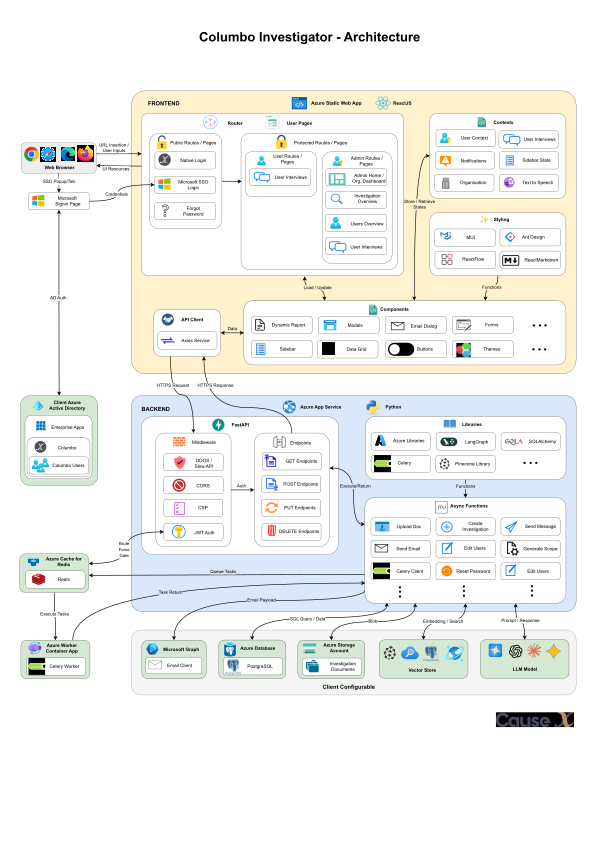
How The System Fits Together
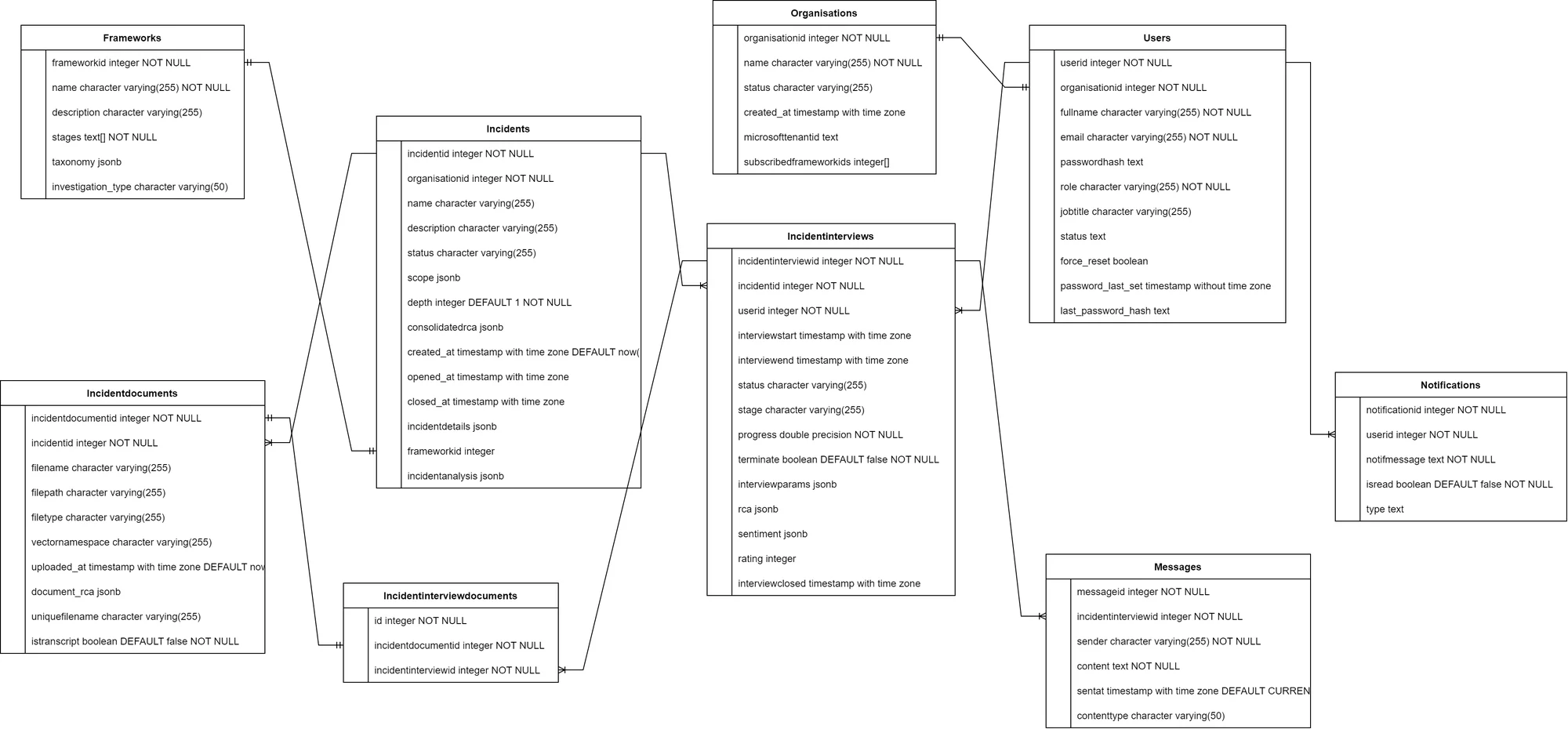
System Architecture
A Walk Through The Software
From Start To Finish
Follow an investigation from its initial details and approved scope through interviews, documentary evidence and reviewed incident findings.
Step 01
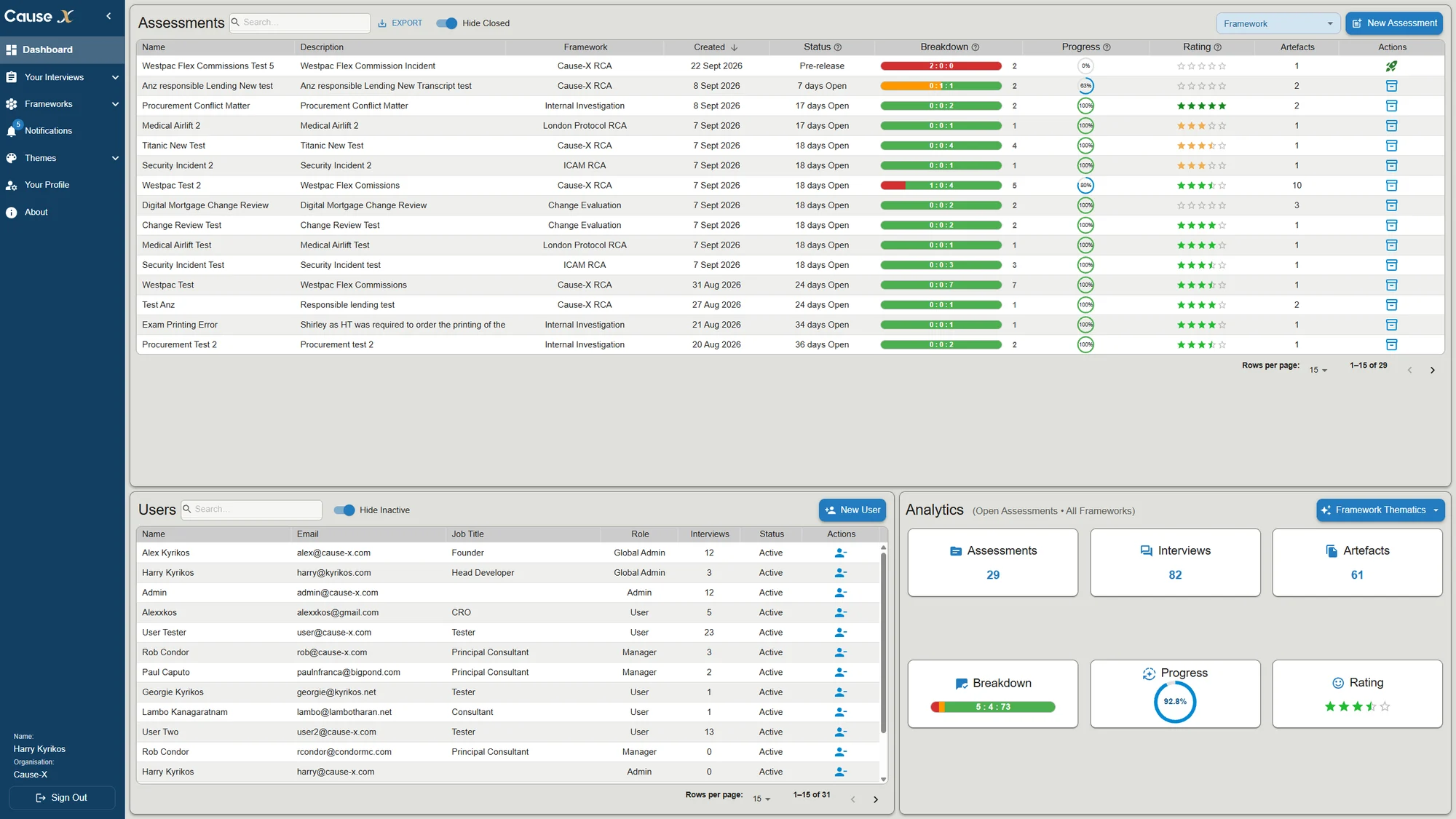
Start In The Investigation Workspace
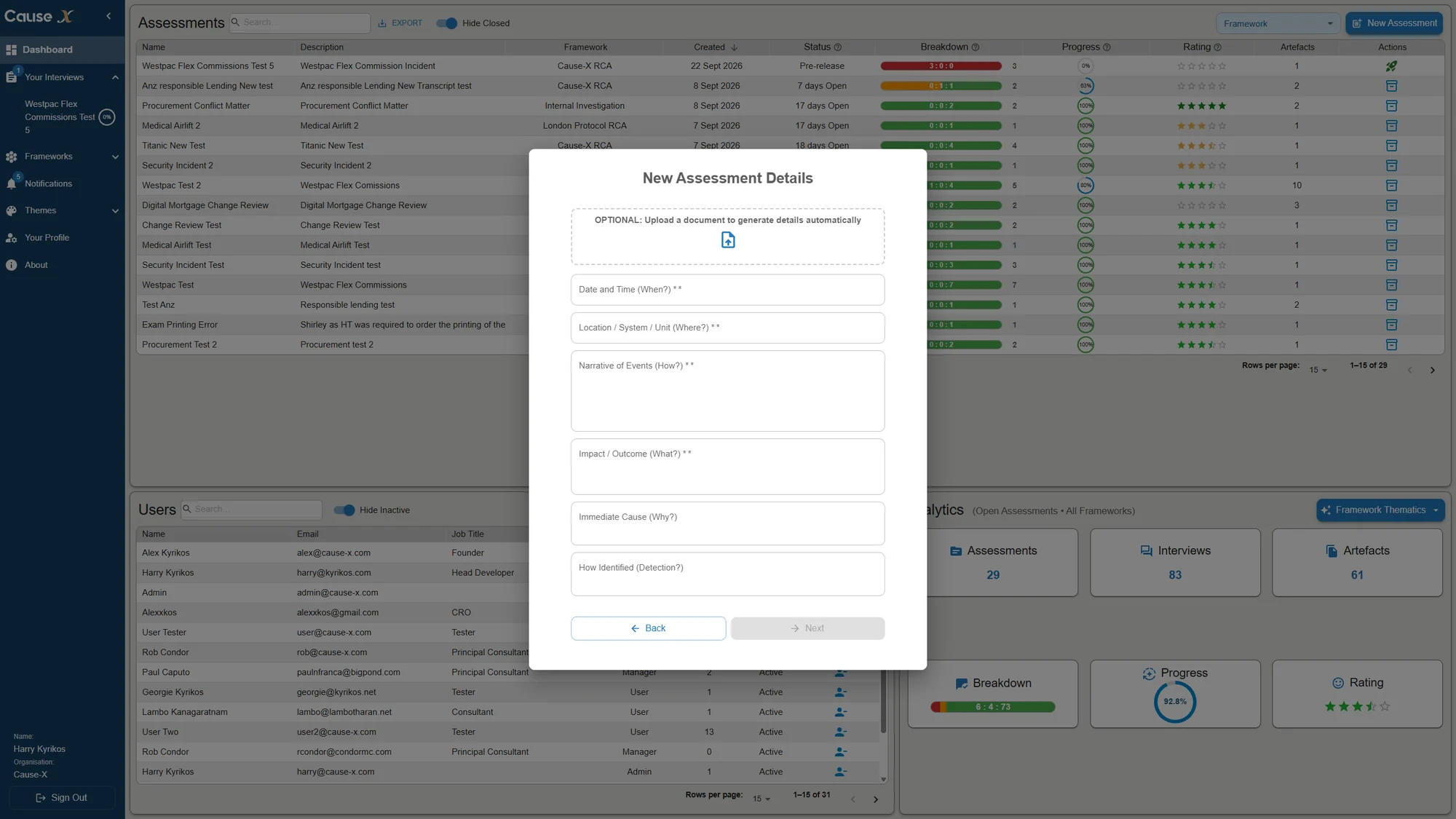
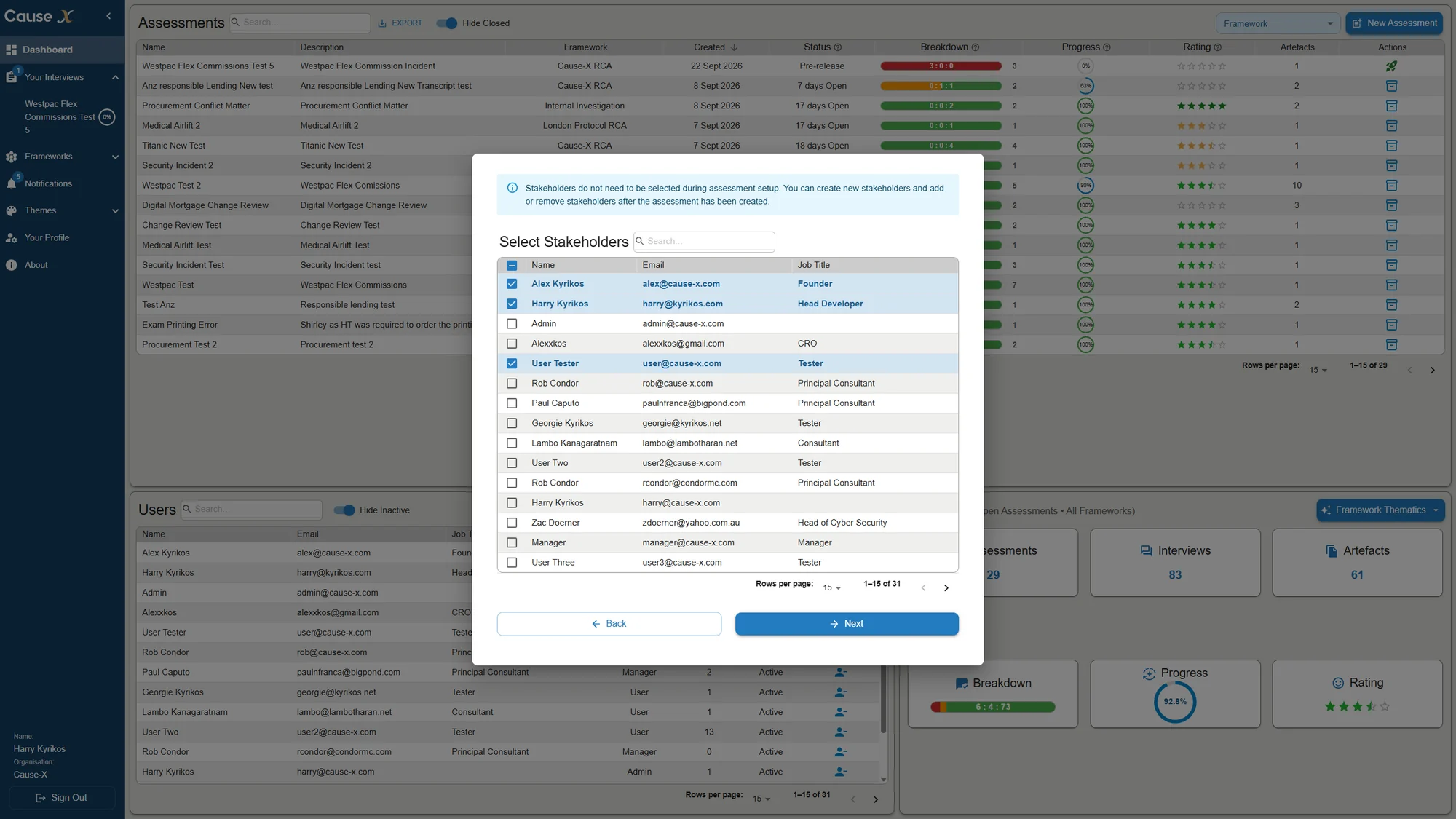
The administrator dashboard brings the organisation’s investigations into one workspace. User management supplies the people who can be selected as stakeholders for an investigation.
Step 02
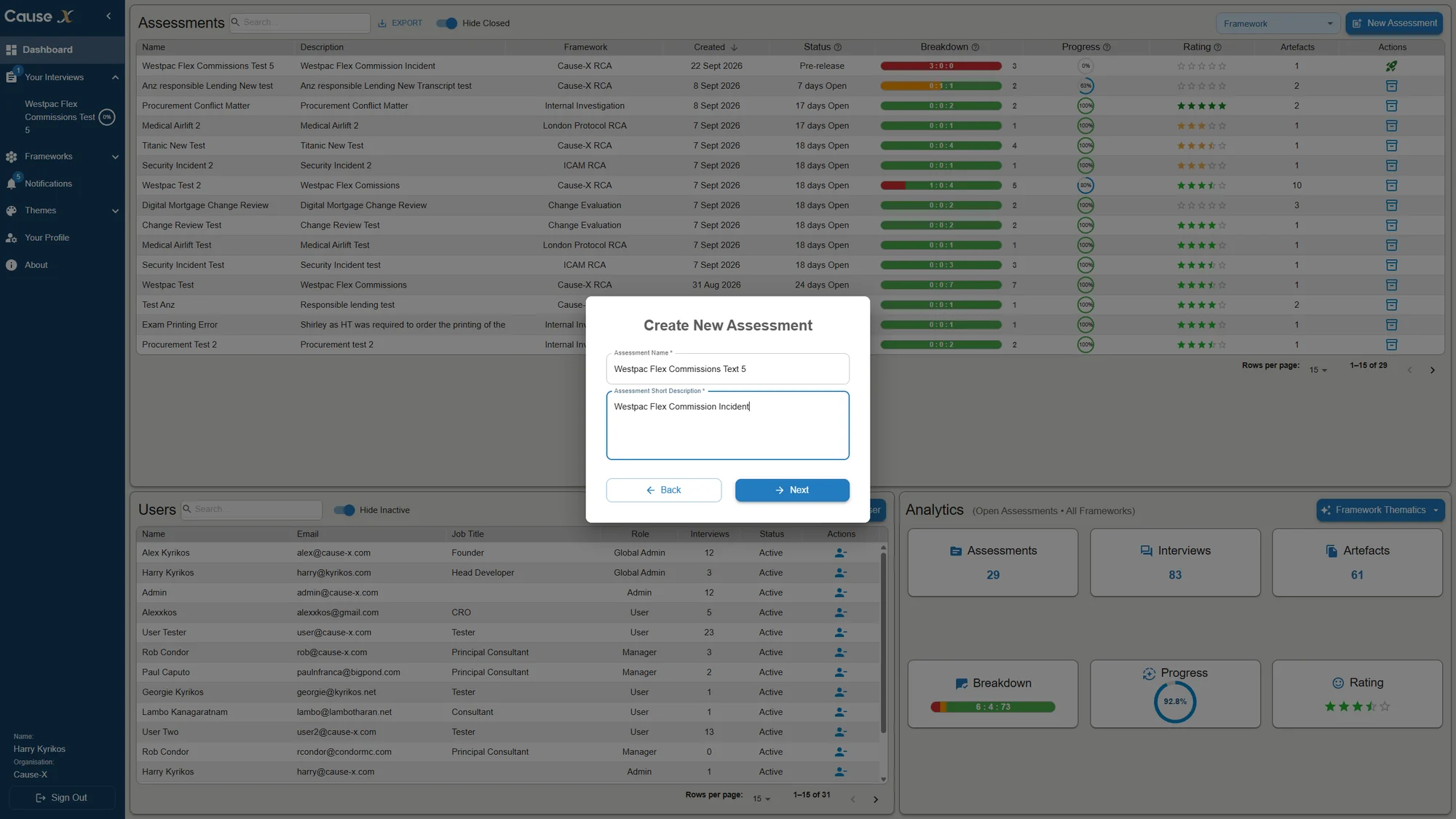
Create The Incident And Its Context
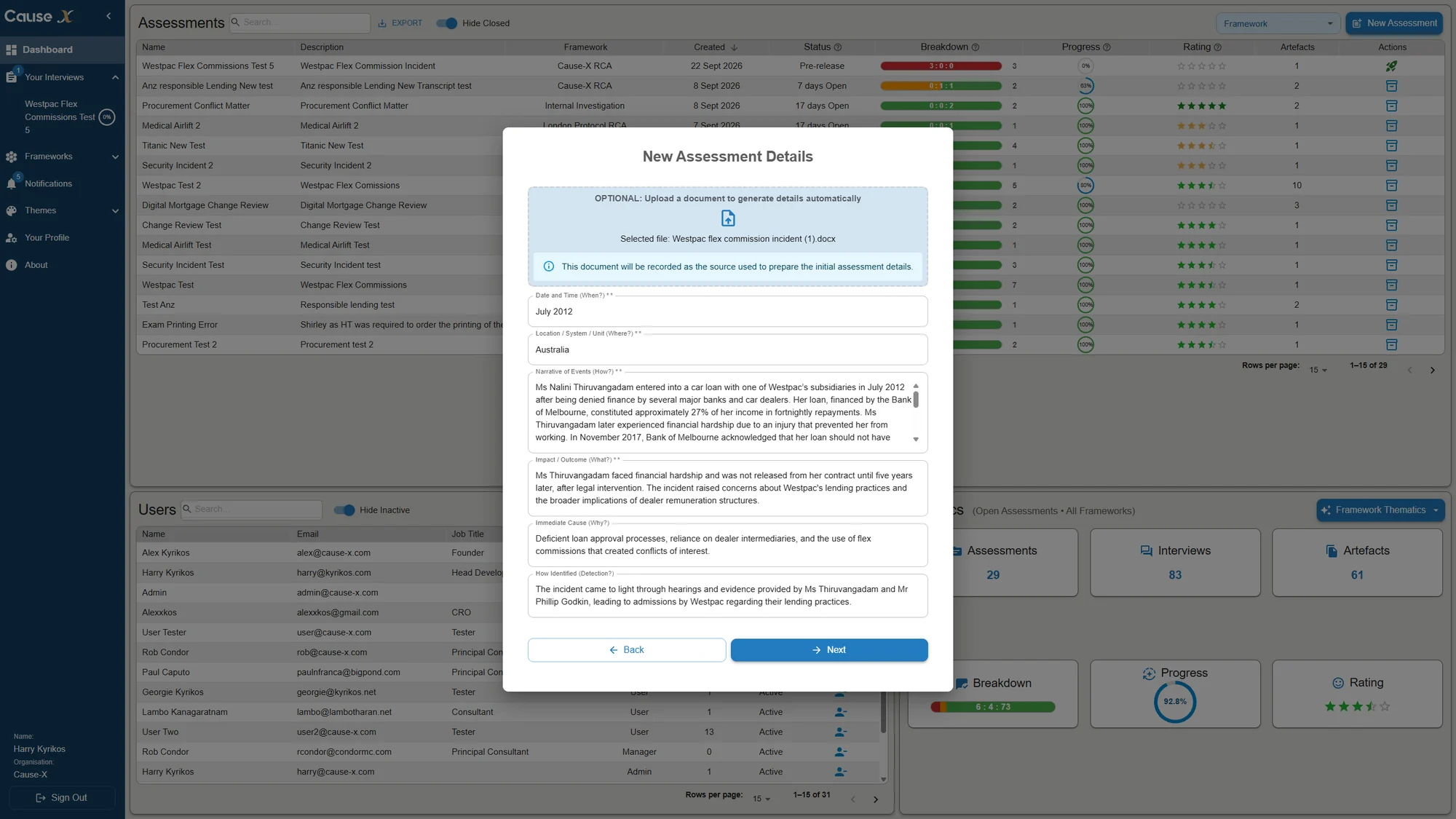
The investigator records the assessment name, description and structured incident details. Supporting documents can inform those details before the investigation scope is approved. The application keeps this contextual information distinct from evidence used to support findings.
Step 03
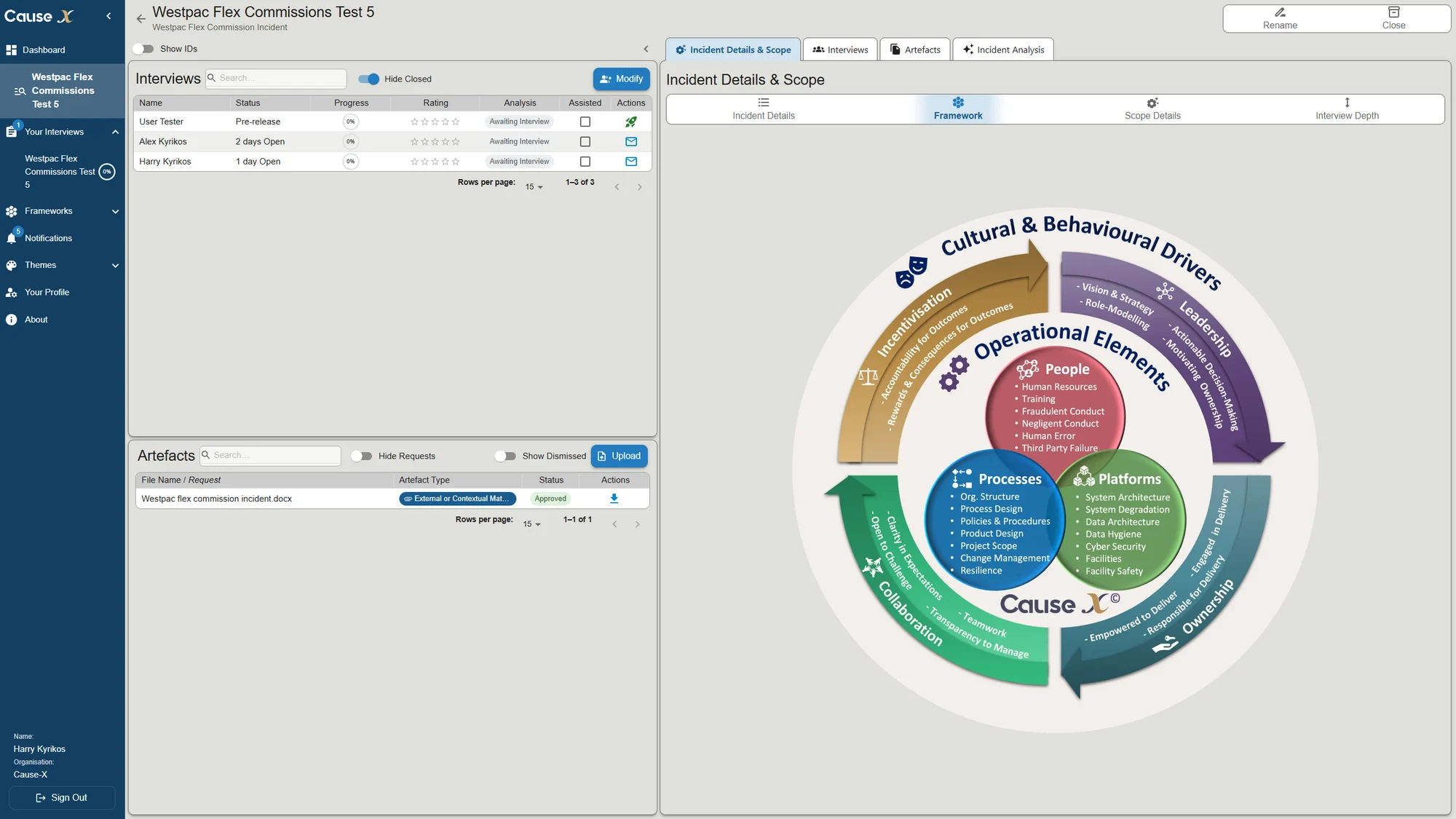
Select The Investigation Framework
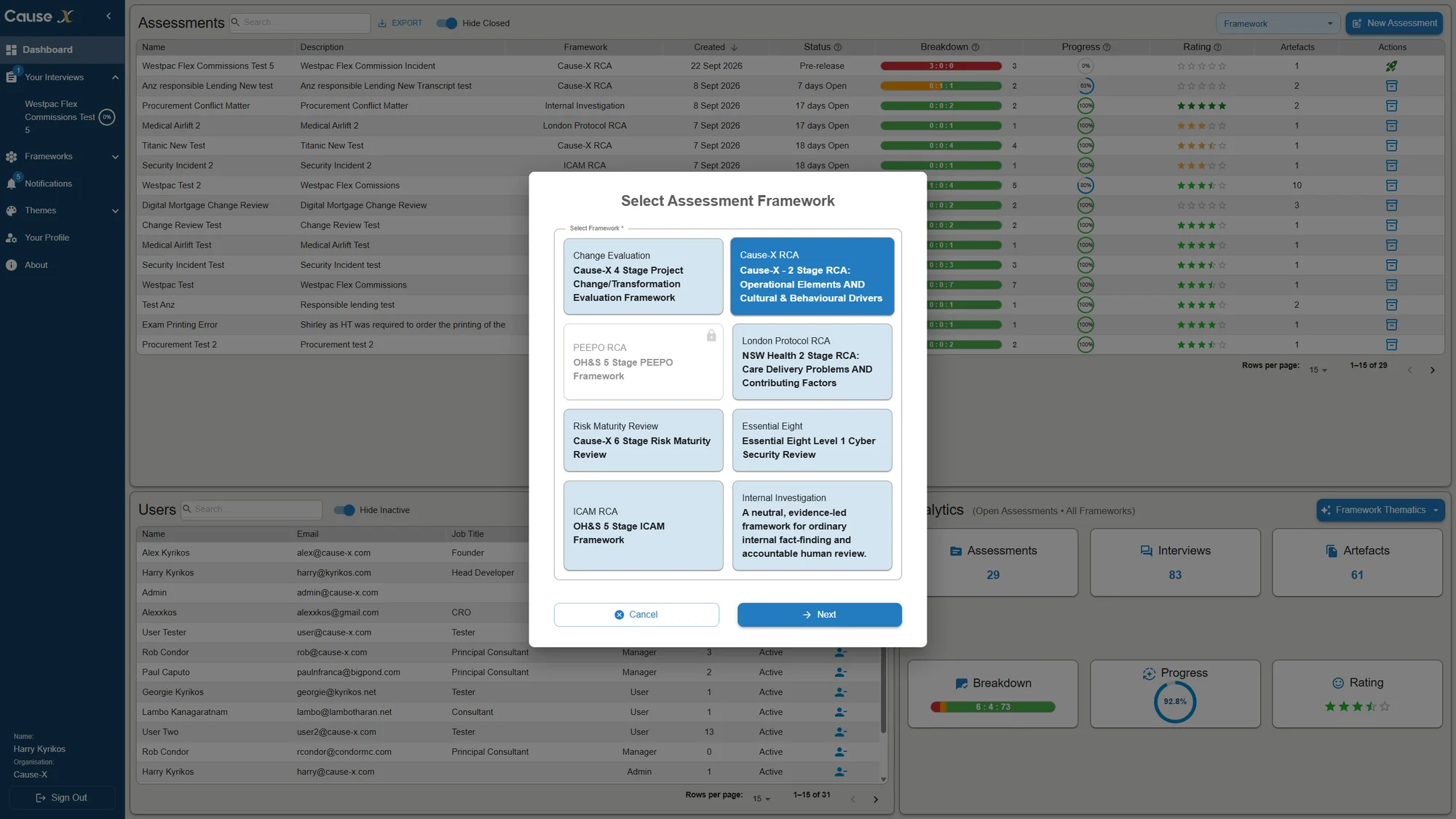
The selected investigation framework supplies the taxonomy used to organise scope and later analysis. The framework gives the system a consistent structure for the type of inquiry being conducted.
Step 04
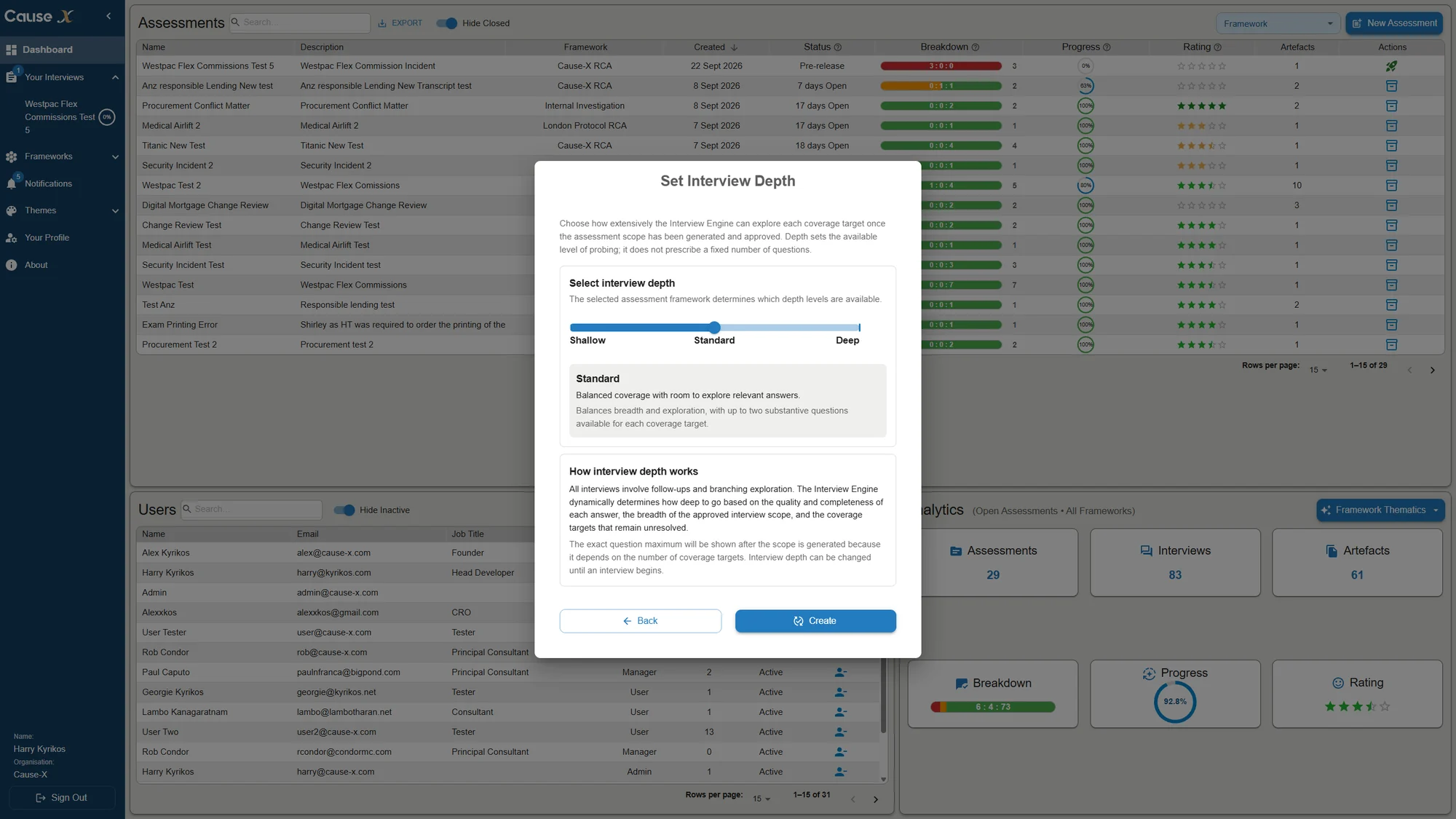
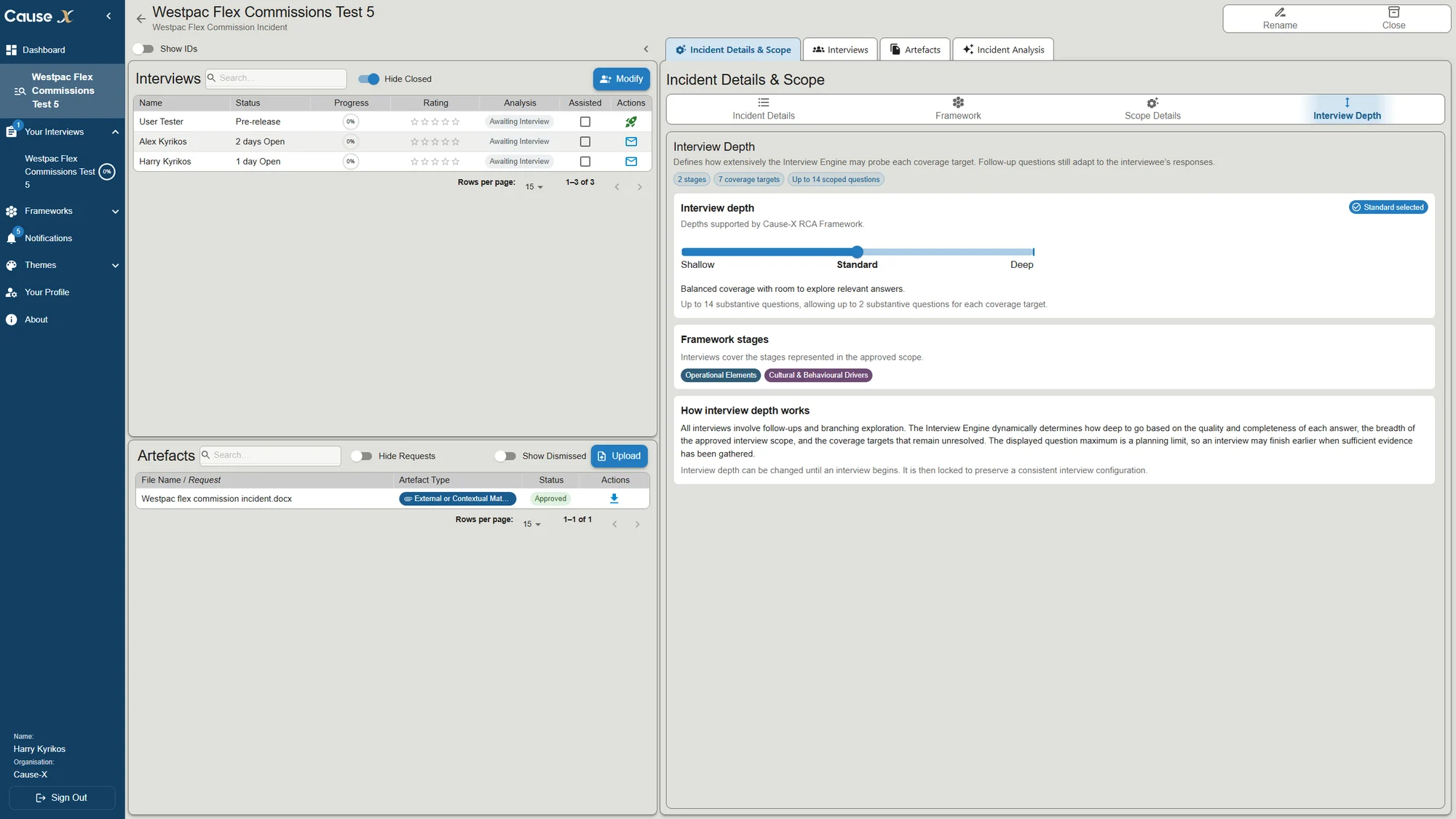
Choose Stakeholders And Interview Depth
Stakeholder selection creates the interview assignments. Interview depth sets the amount of investigation the engine should pursue; it remains editable until an interview starts. Once started, an interview retains the scope and depth that governed it.
Step 05
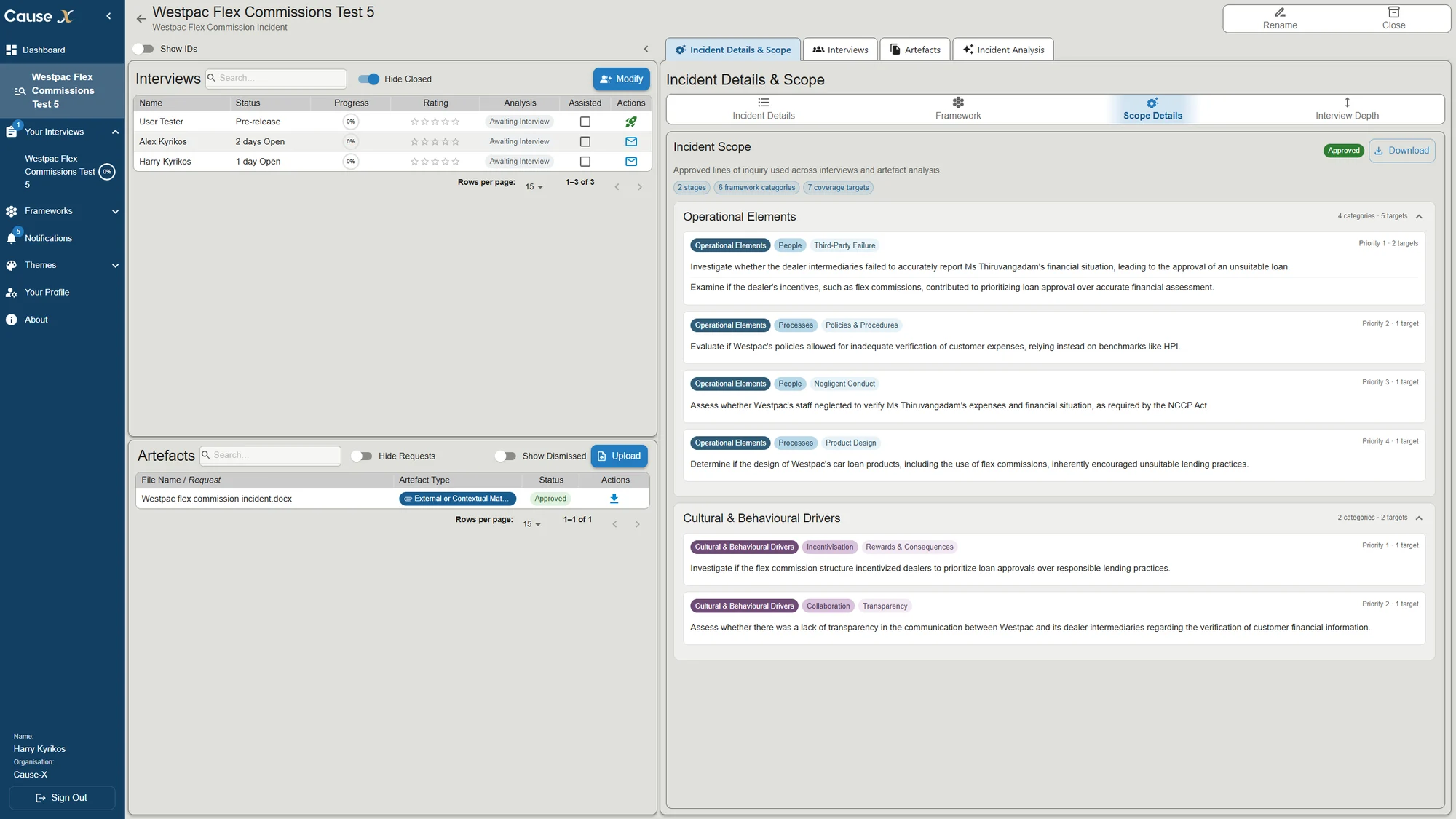
Review And Approve The Scope
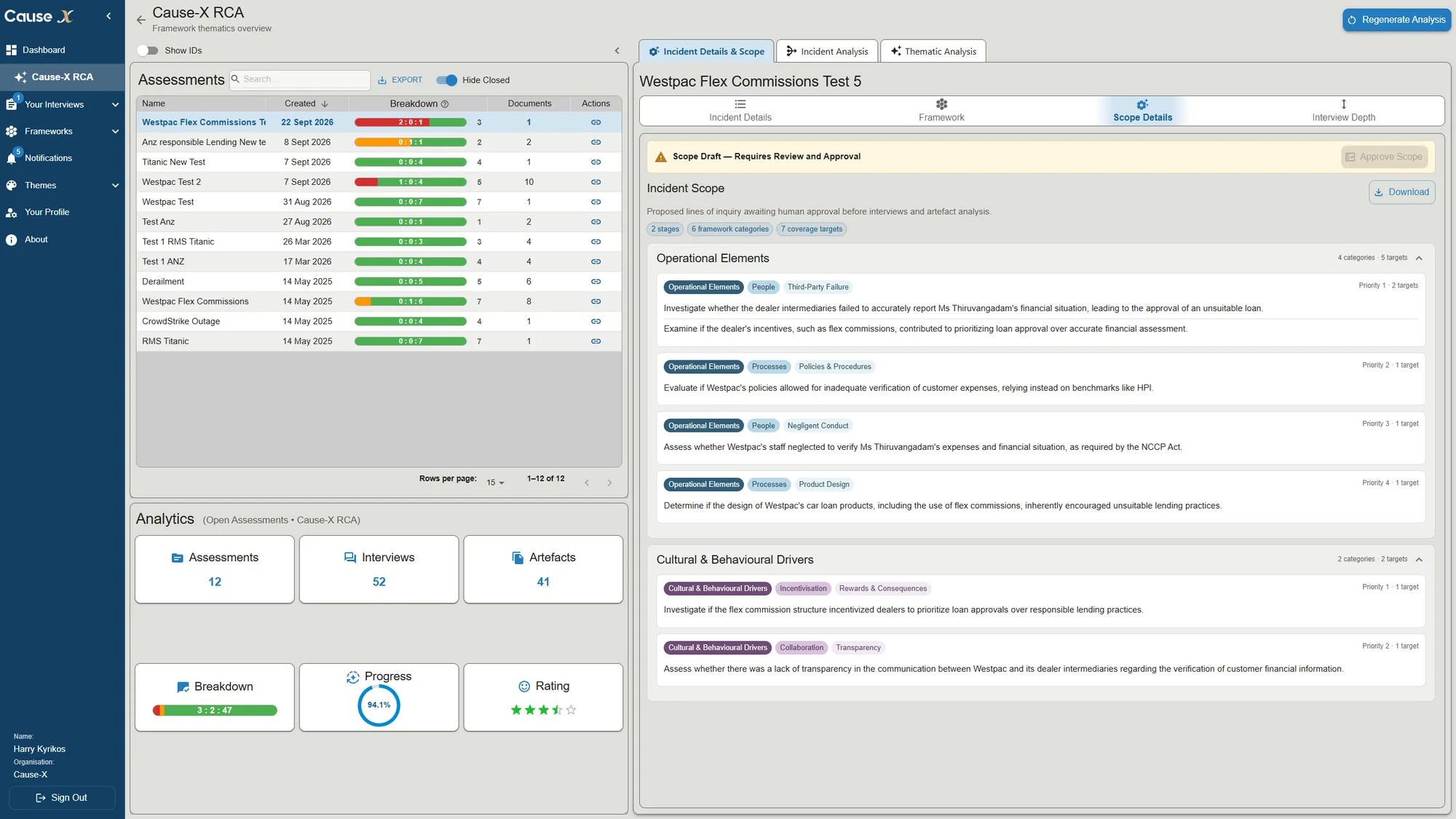
The system derives an investigation scope from the incident details and framework. A human approves the exact scope revision before interviews or substantive analysis begin. Once investigation work starts, the implemented workflow locks the governing context to avoid silently changing ongoing work.
Step 06
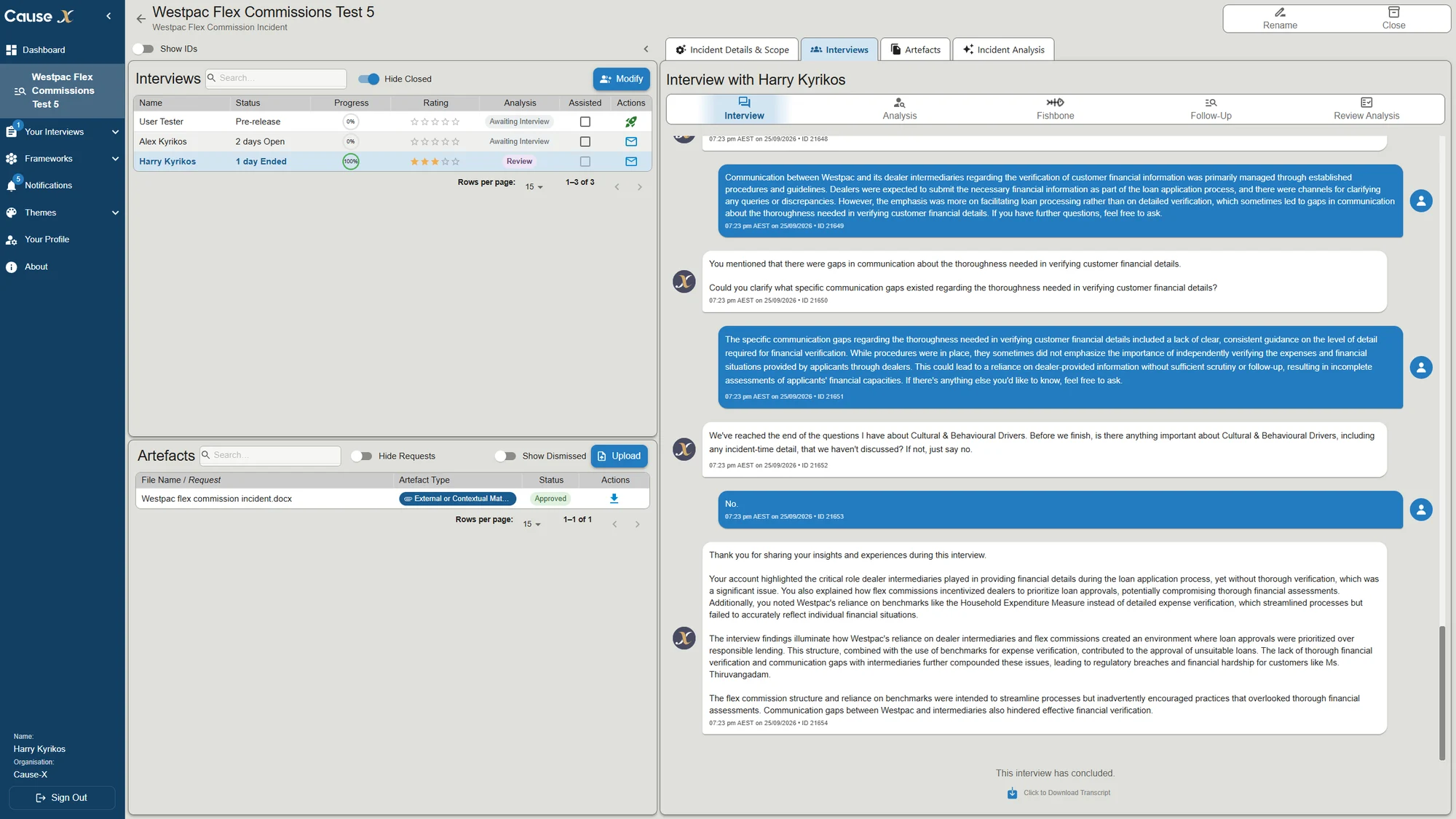
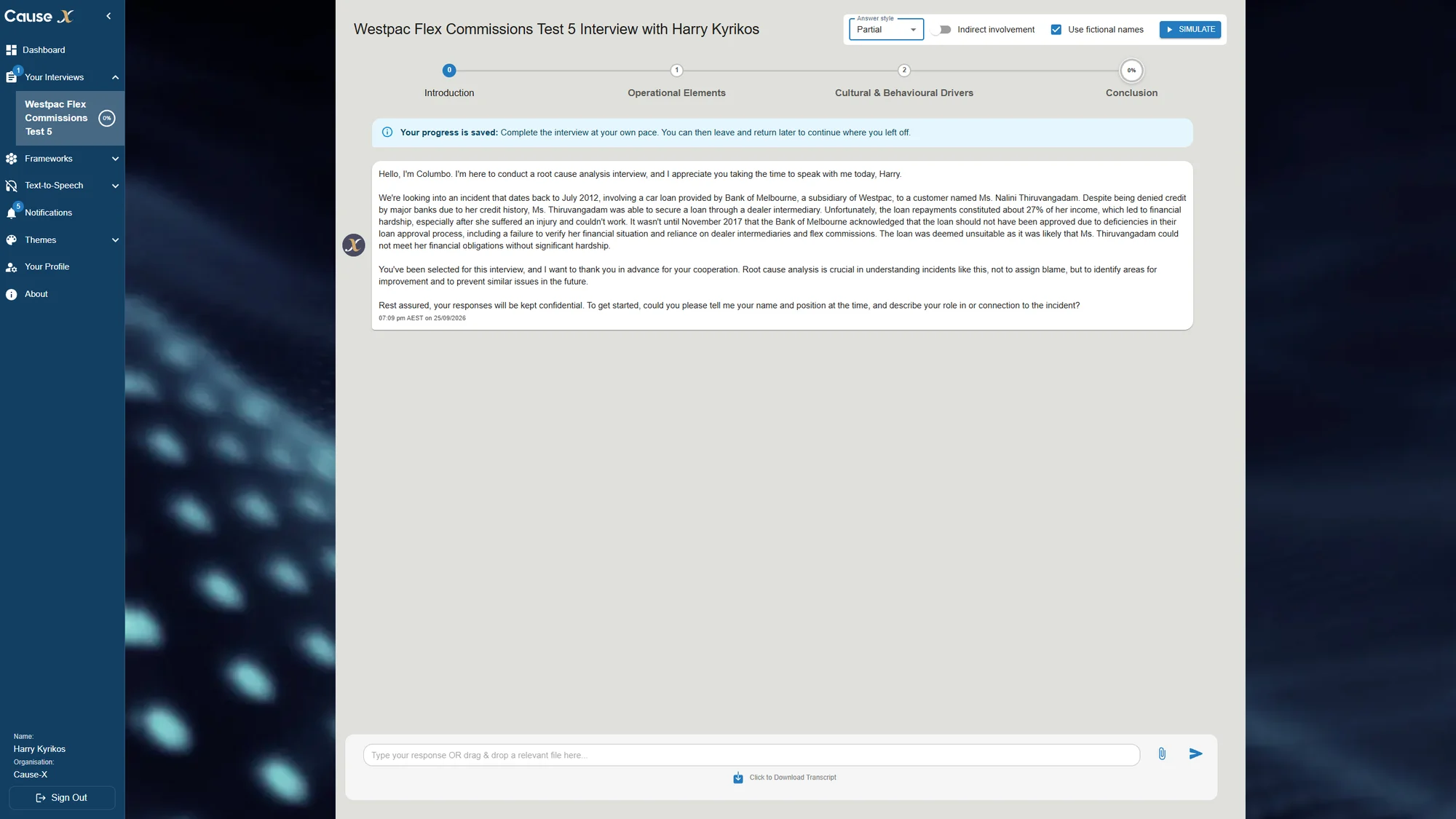
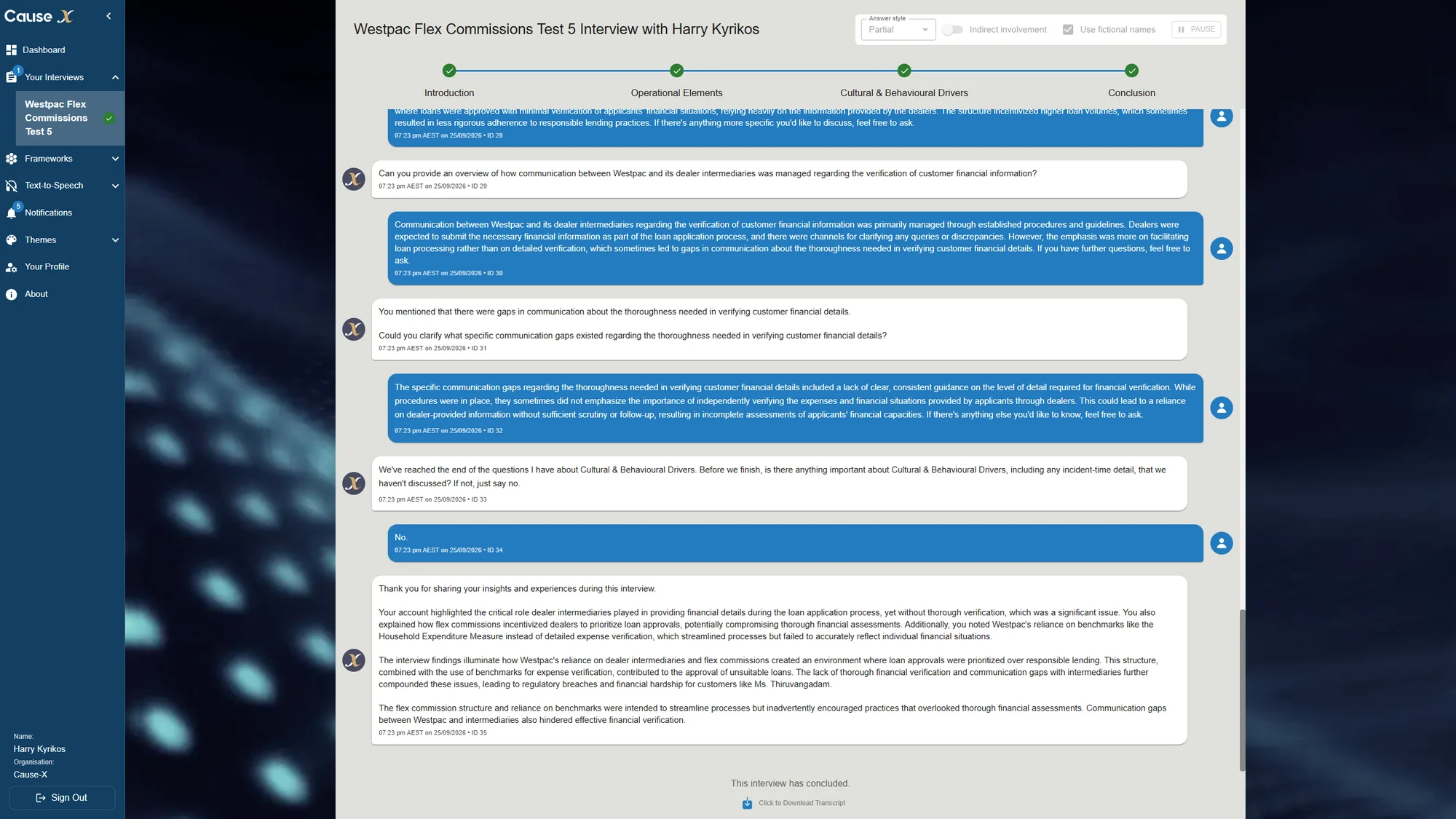
Conduct The User Interview
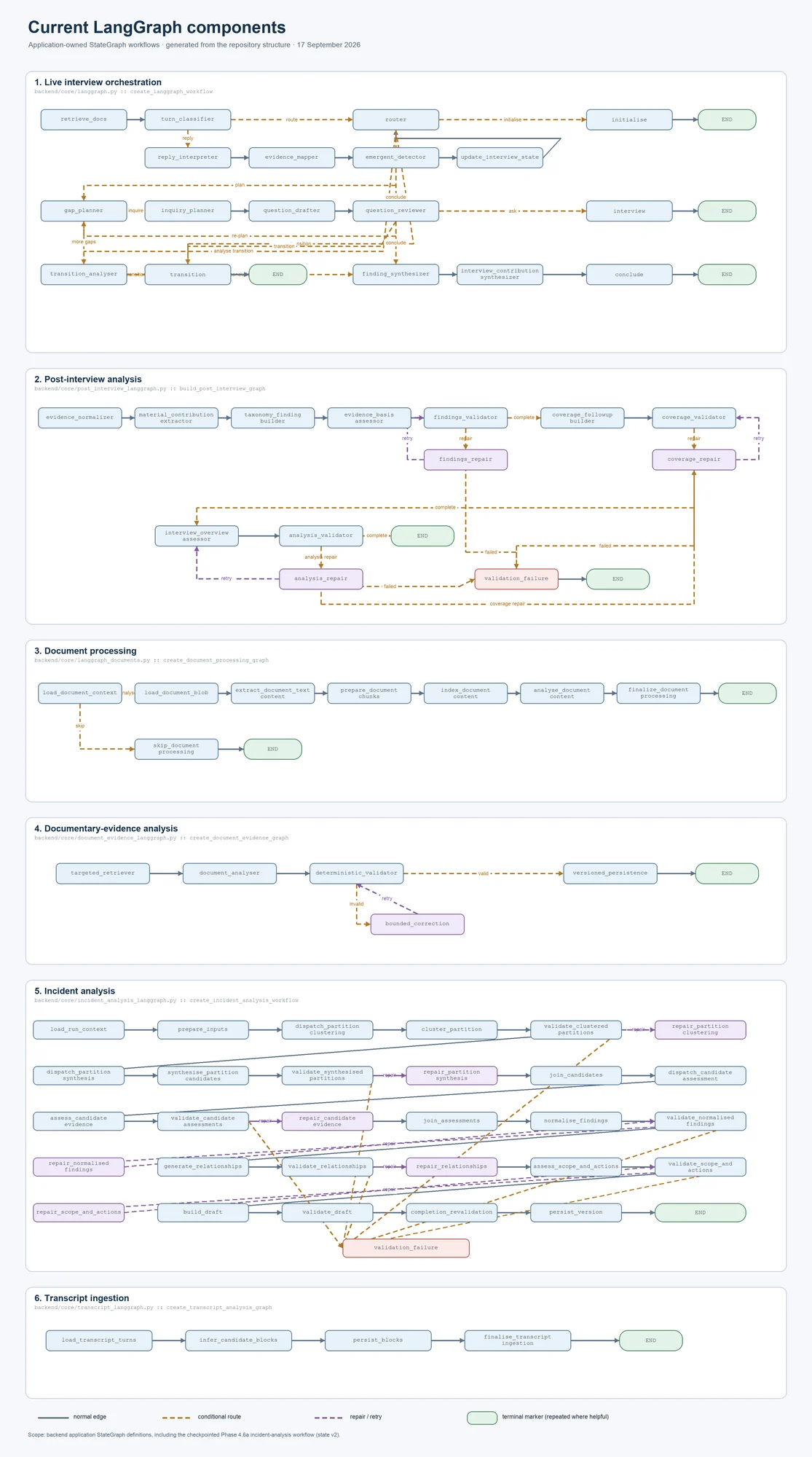
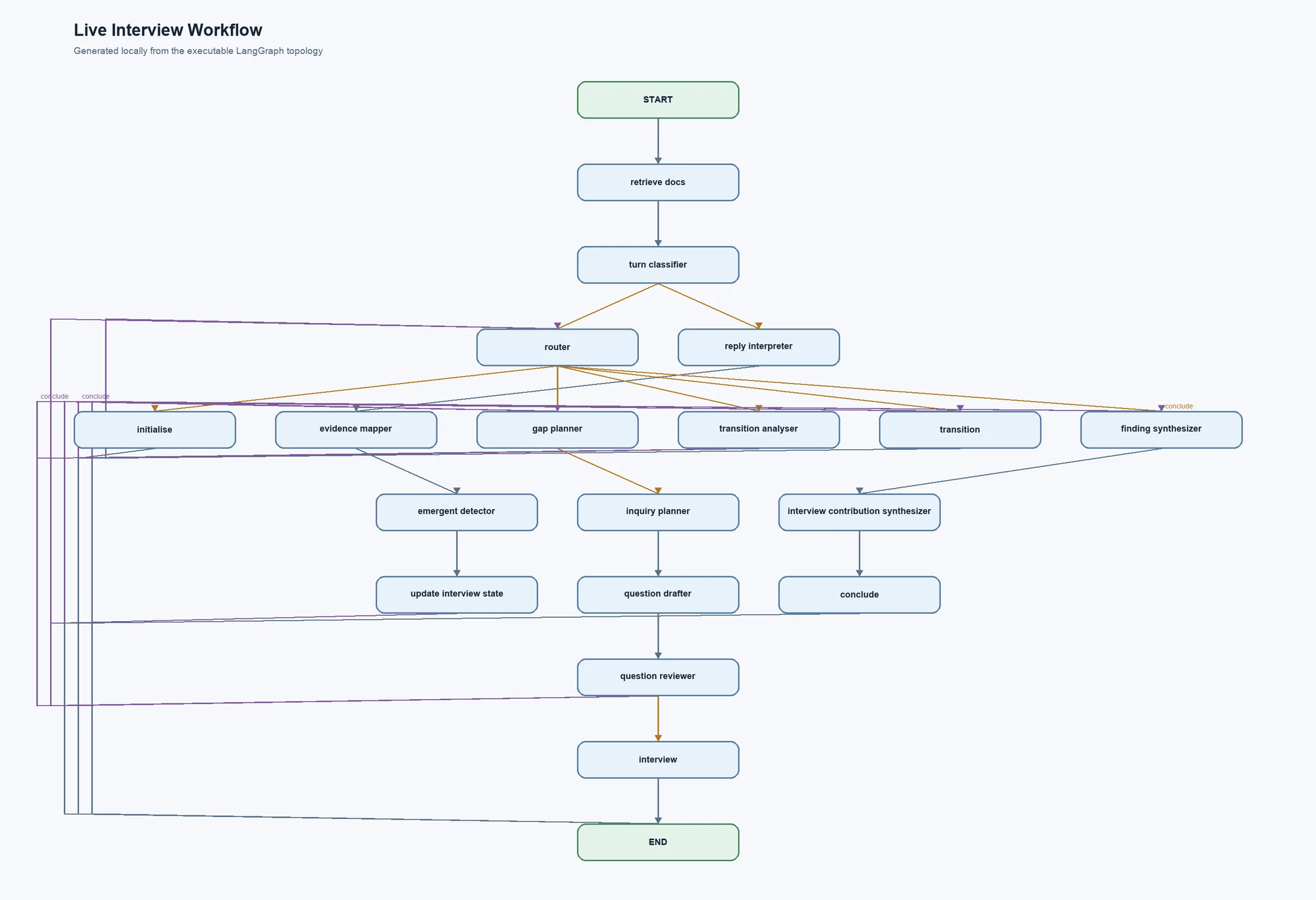
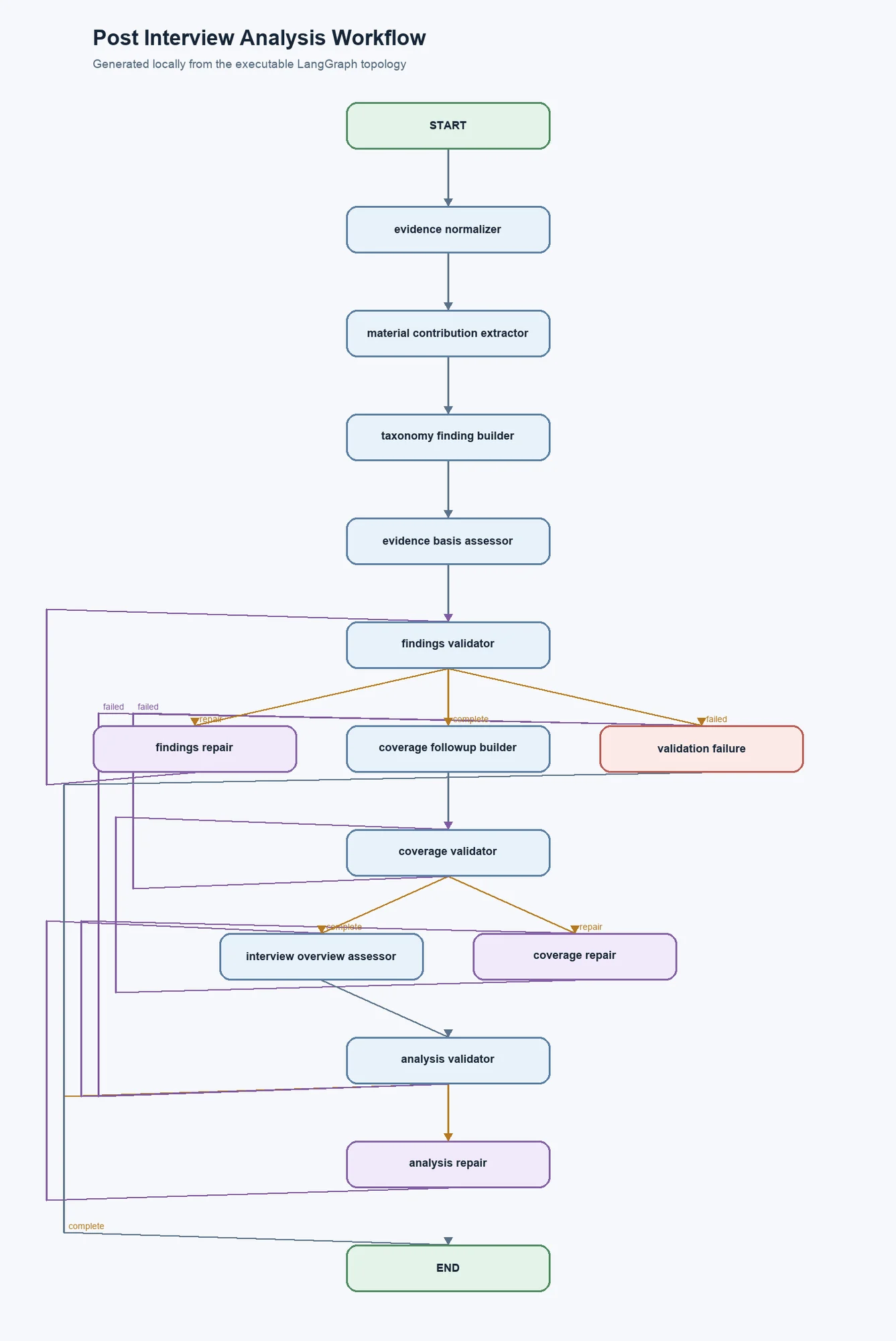
The introduction establishes the stakeholder’s role and knowledge of the incident. During the conversation, the engine interprets responses, tracks evidence and unresolved questions, and selects the next line of inquiry. Application logic controls scope and progression while the language model drafts questions within those constraints.
Step 07
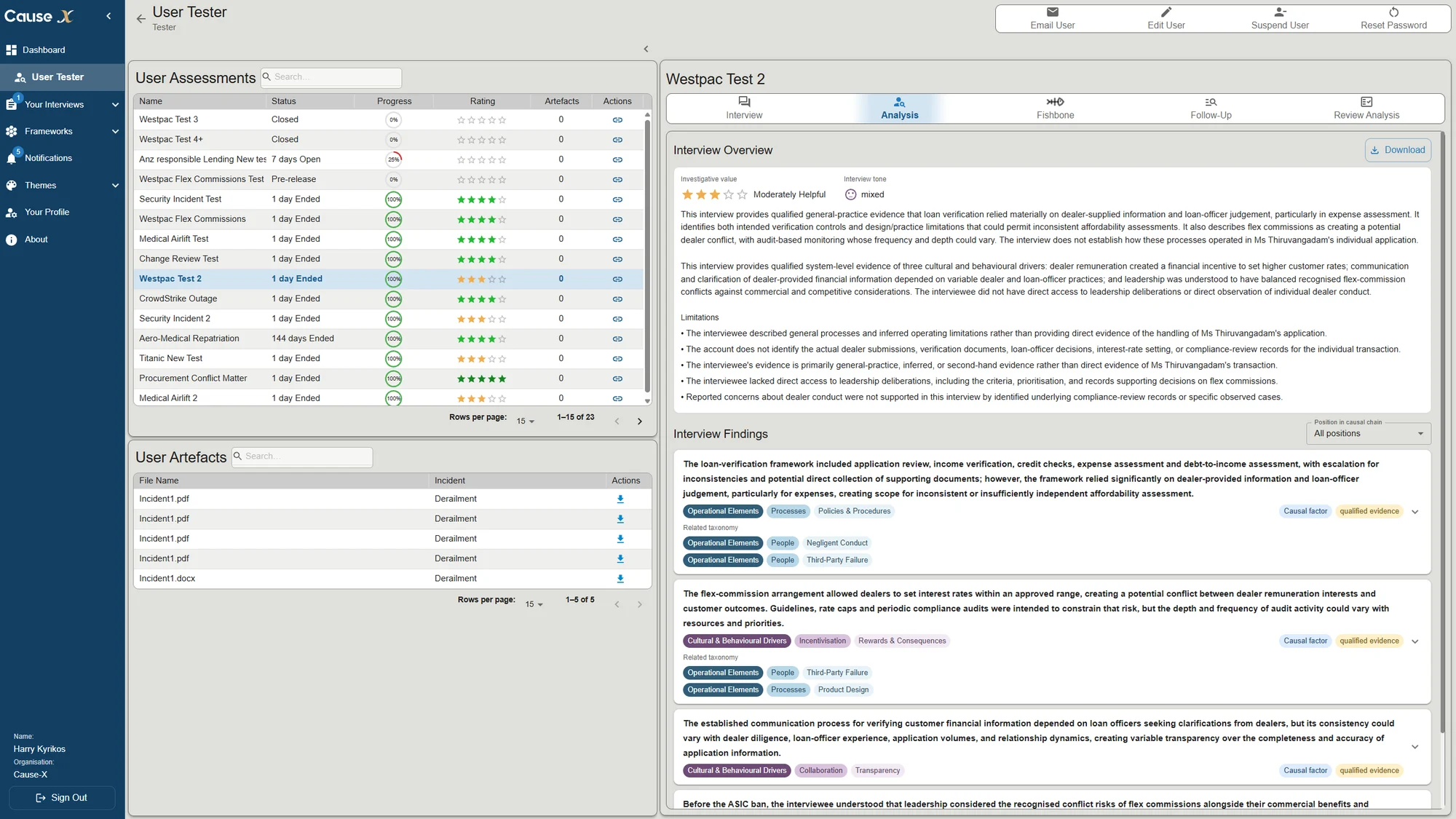
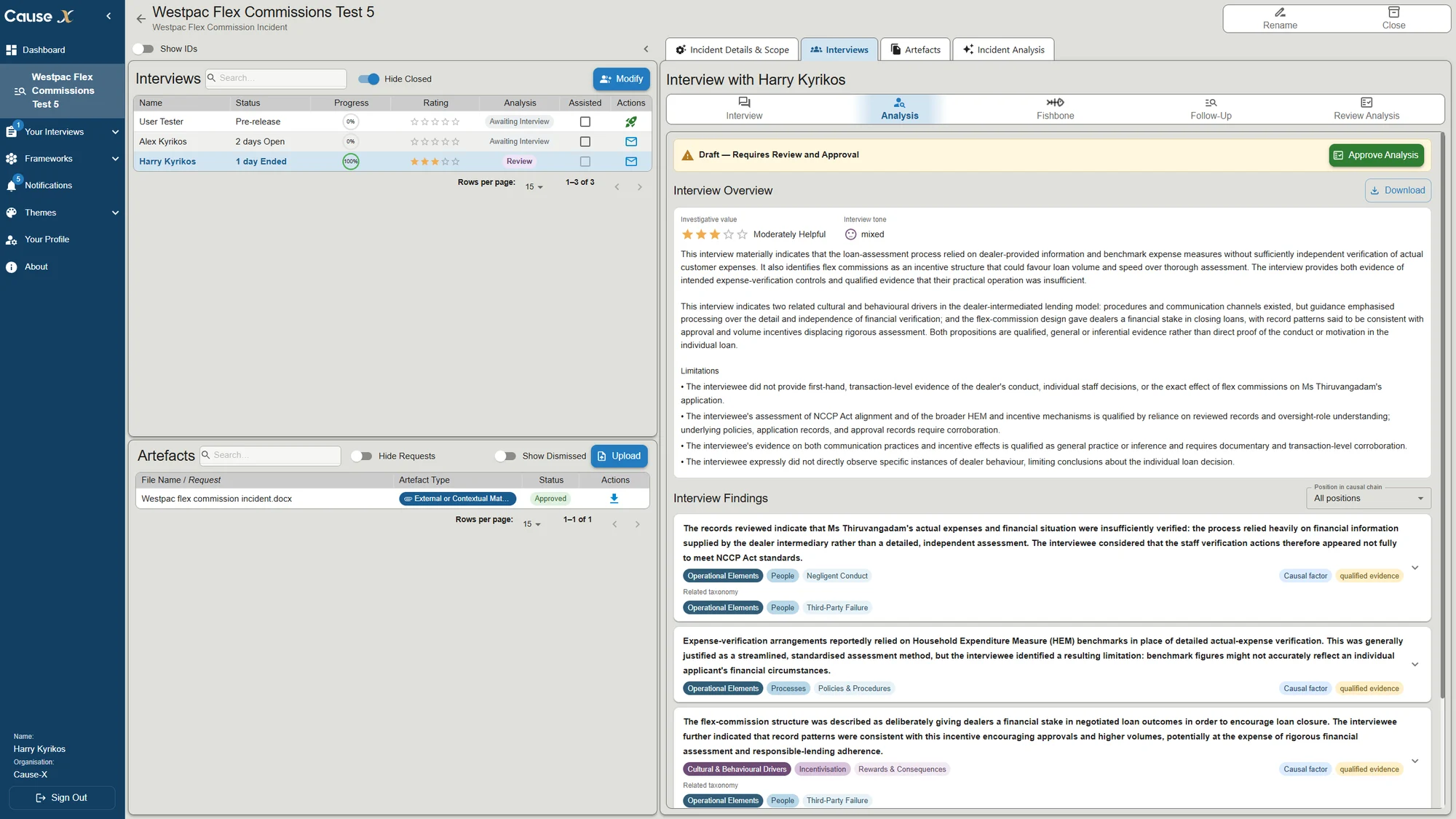
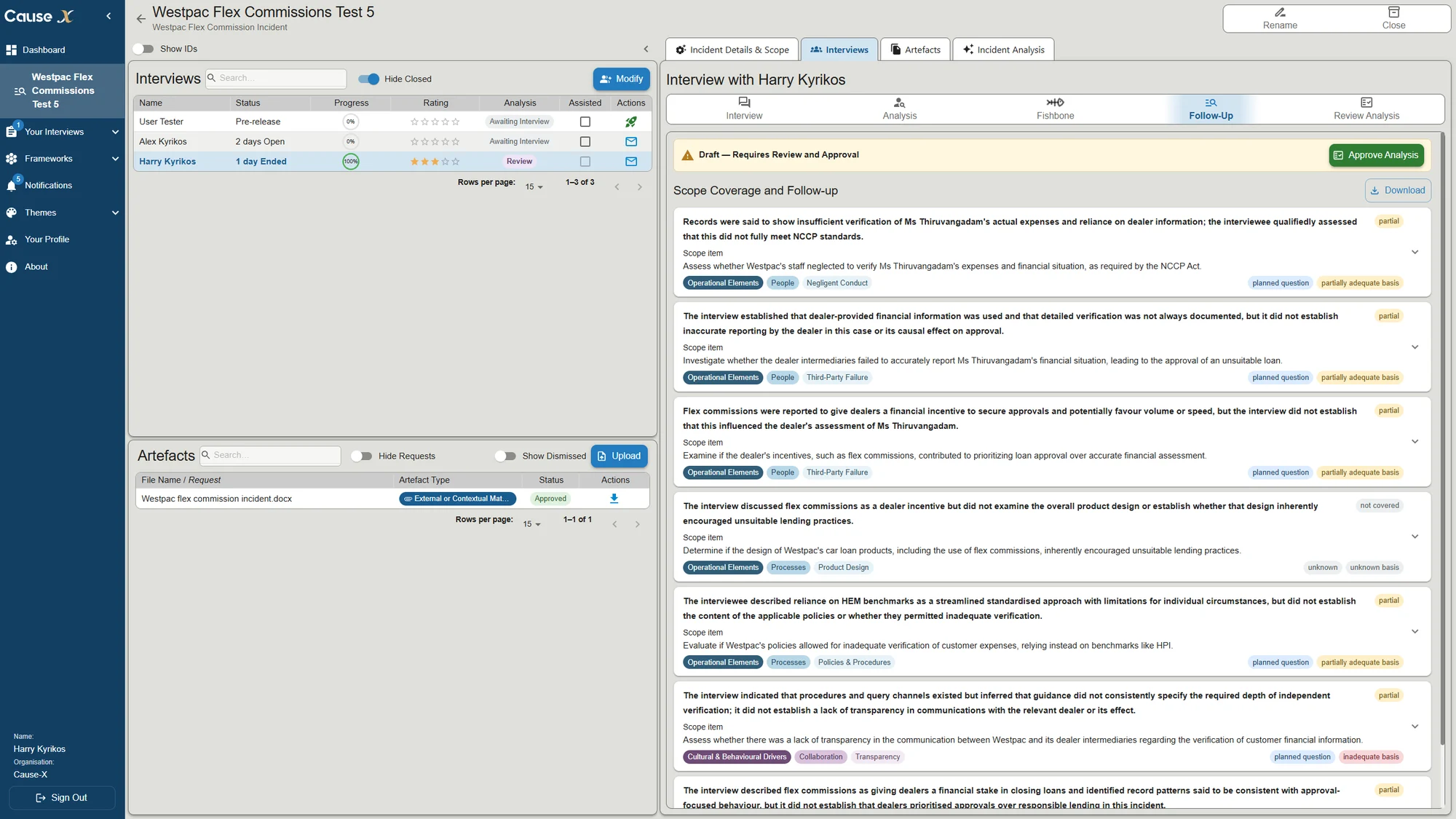
Review The Individual Interview Analysis
A completed interview becomes a versioned analysis for investigator review. Findings remain linked to the stakeholder’s evidence, with scope coverage and follow-up recorded alongside them. This analysis describes one source’s contribution; it is not yet the final cross-source incident conclusion.
Step 08
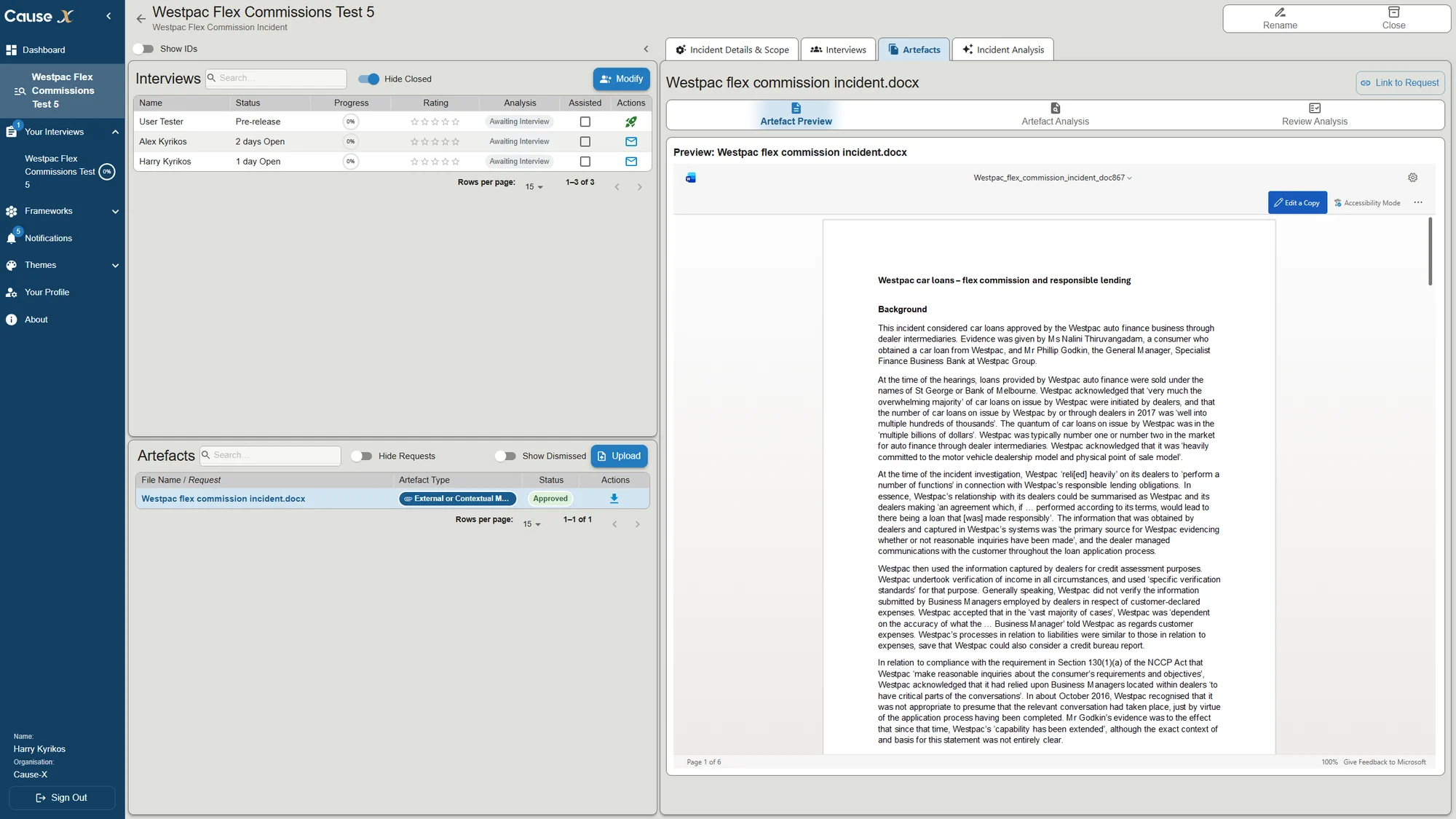
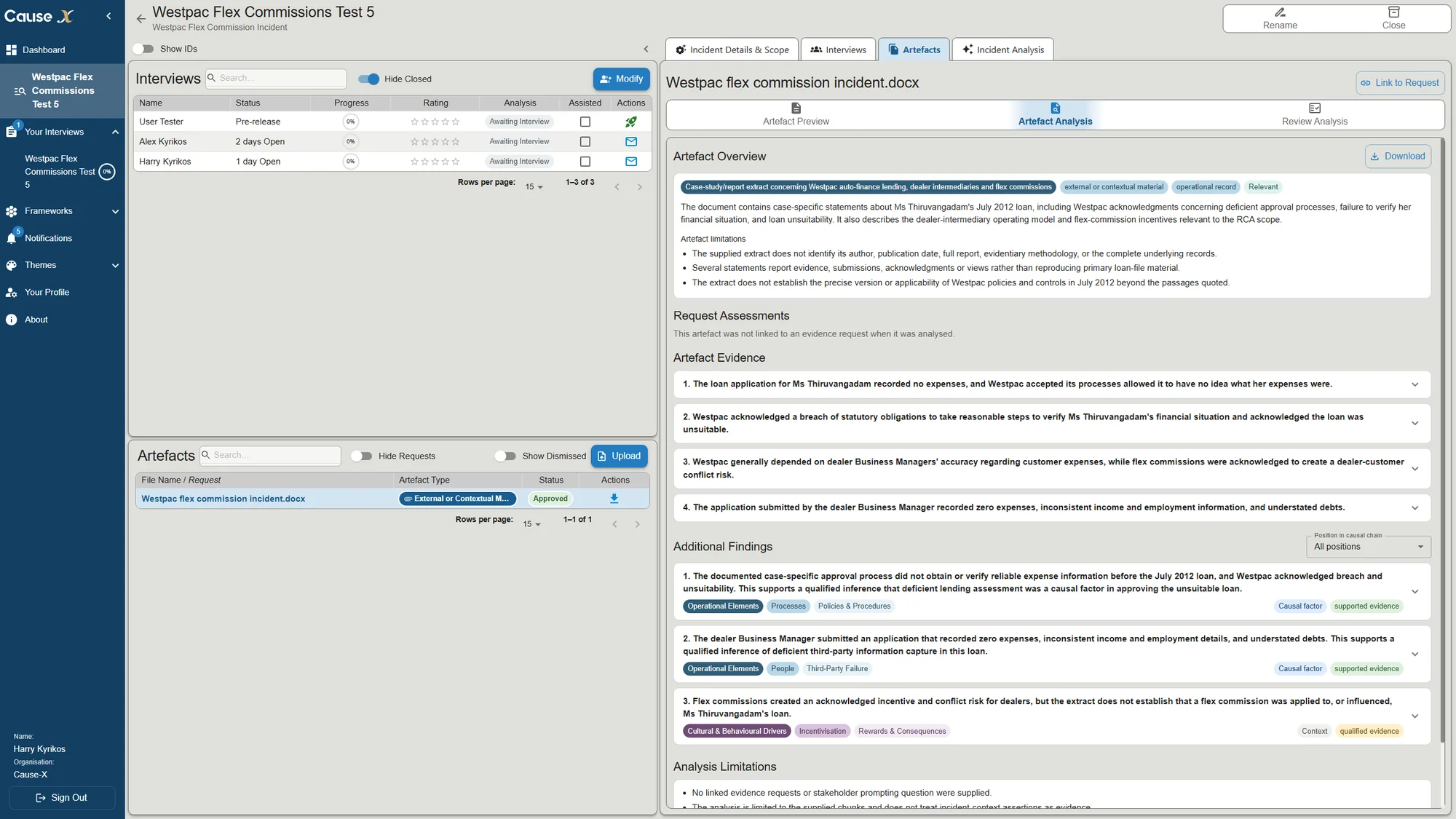
Analyse And Review Documentary Evidence
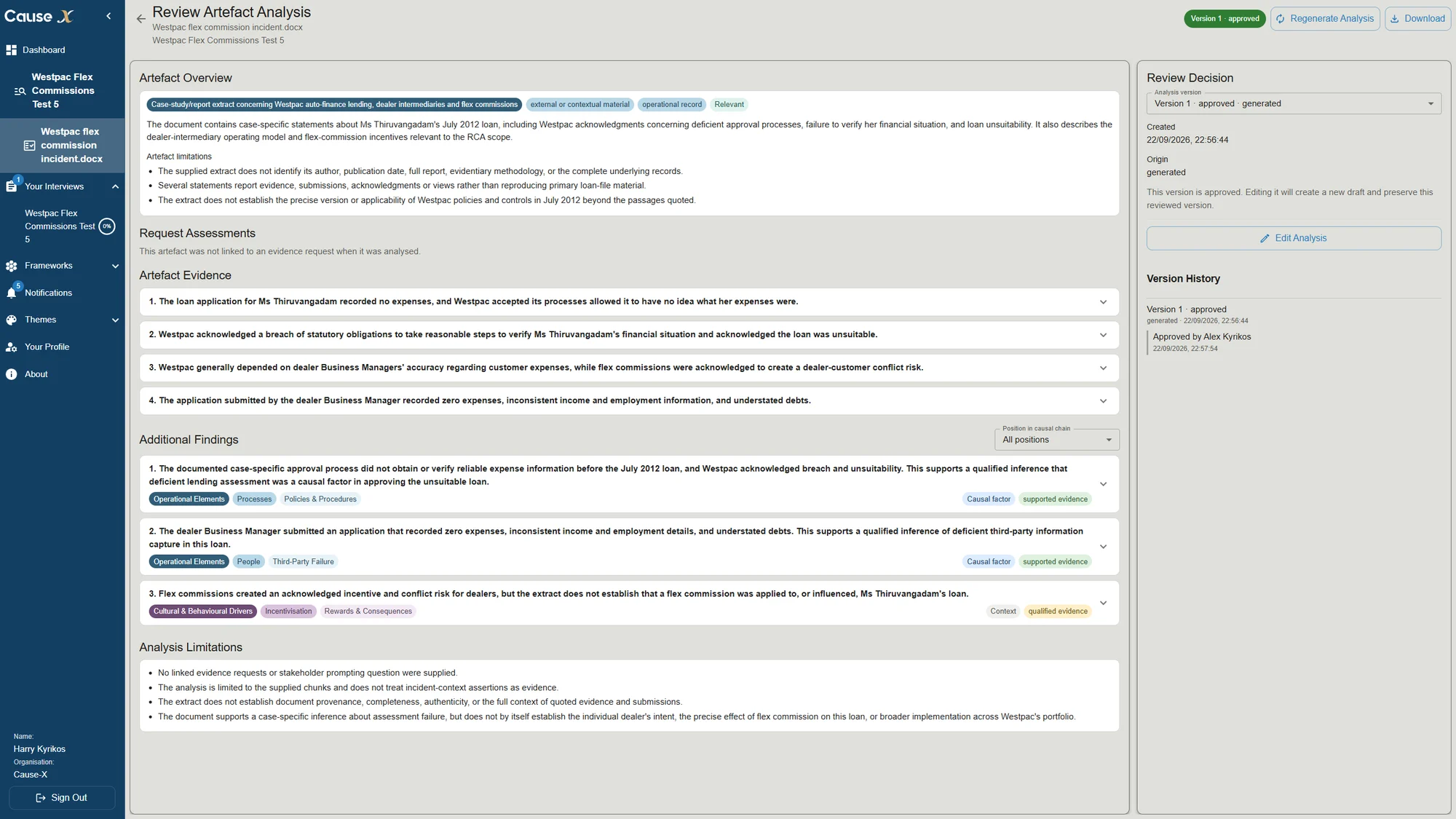
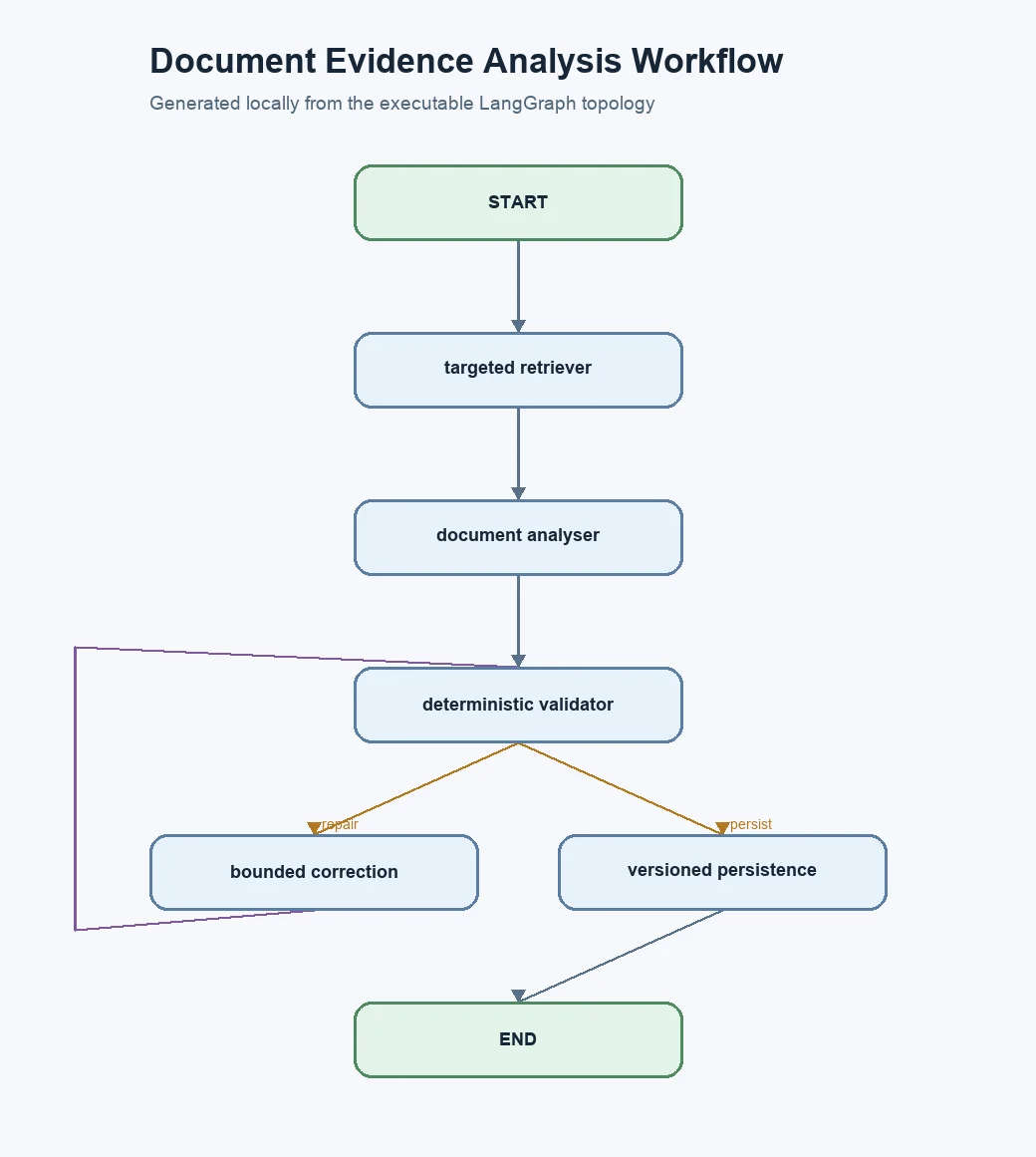
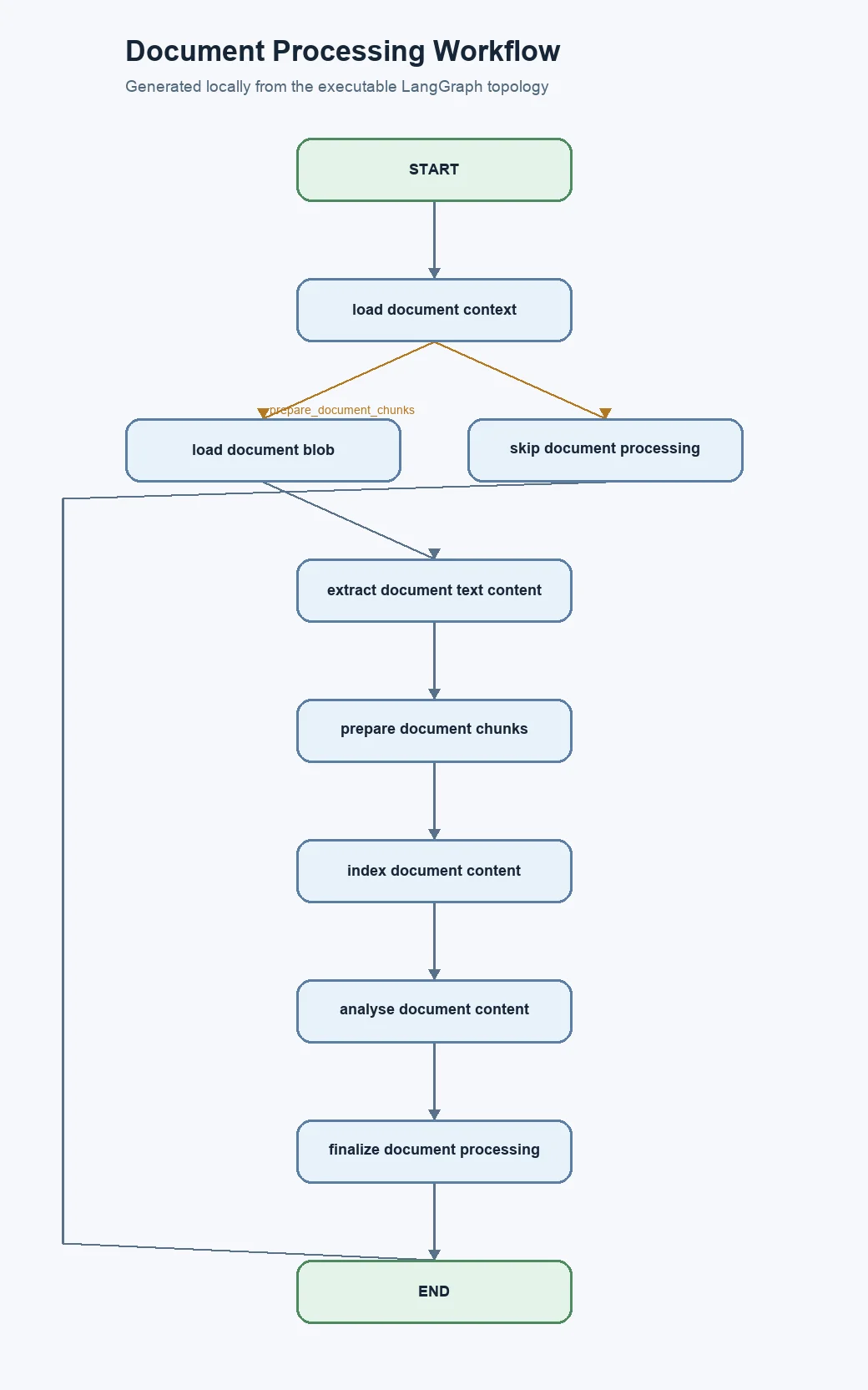
Documents may be uploaded before an interview, in response to a question, or to satisfy follow-up requests. The document workflow preserves why an artefact was supplied and analyses what it establishes. Investigators inspect, edit and approve the analysis before it becomes reviewed evidence for synthesis.
Step 09
Resolve Gaps And Plan Follow-Up
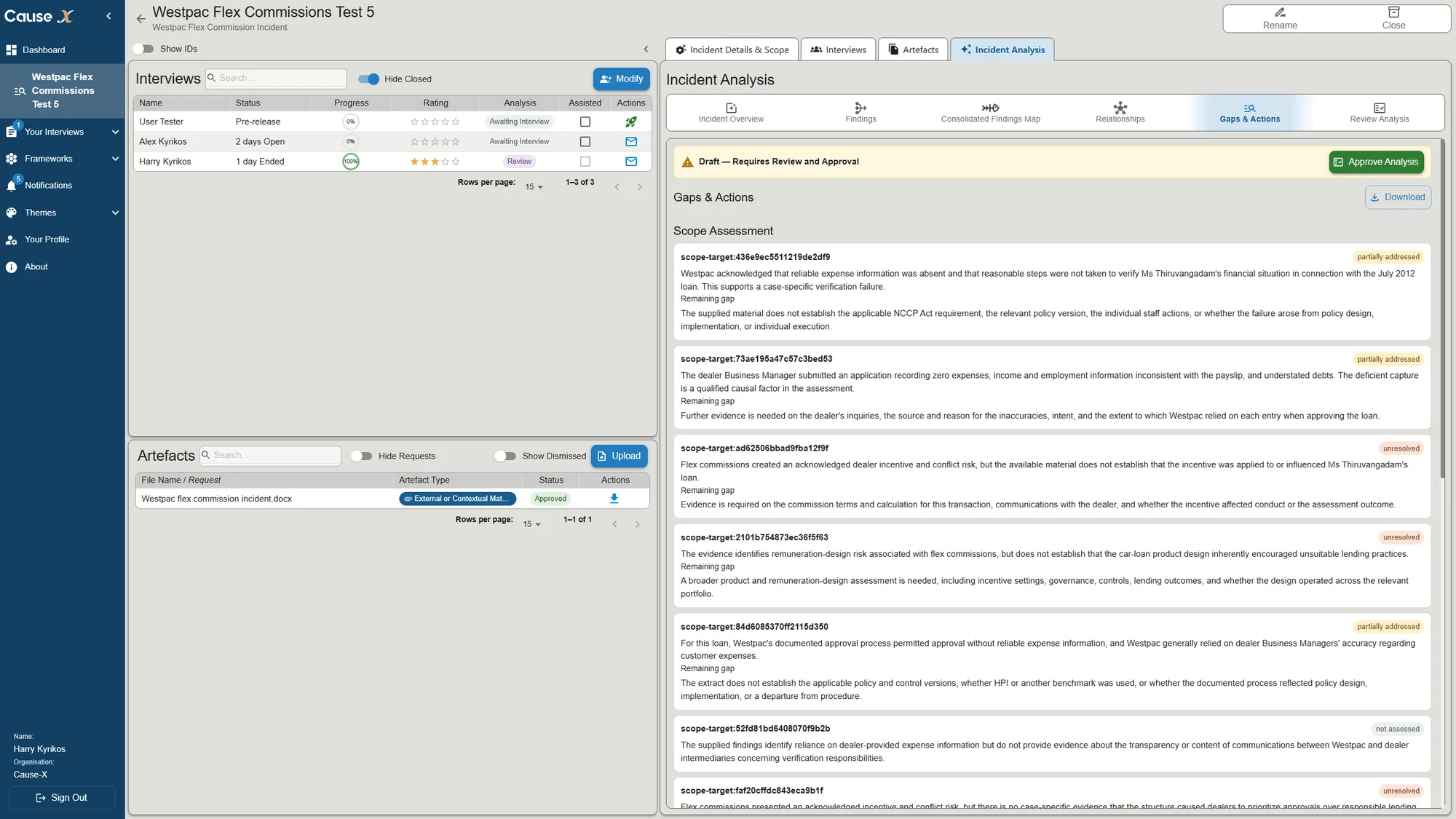
Individual analysis identifies unanswered questions and proportionate follow-up. Documentary requests require human approval before they become active work. Further evidence adds to the investigation without rewriting what a previous interview originally established.
Step 10
Generate Analysis From Approved Sources
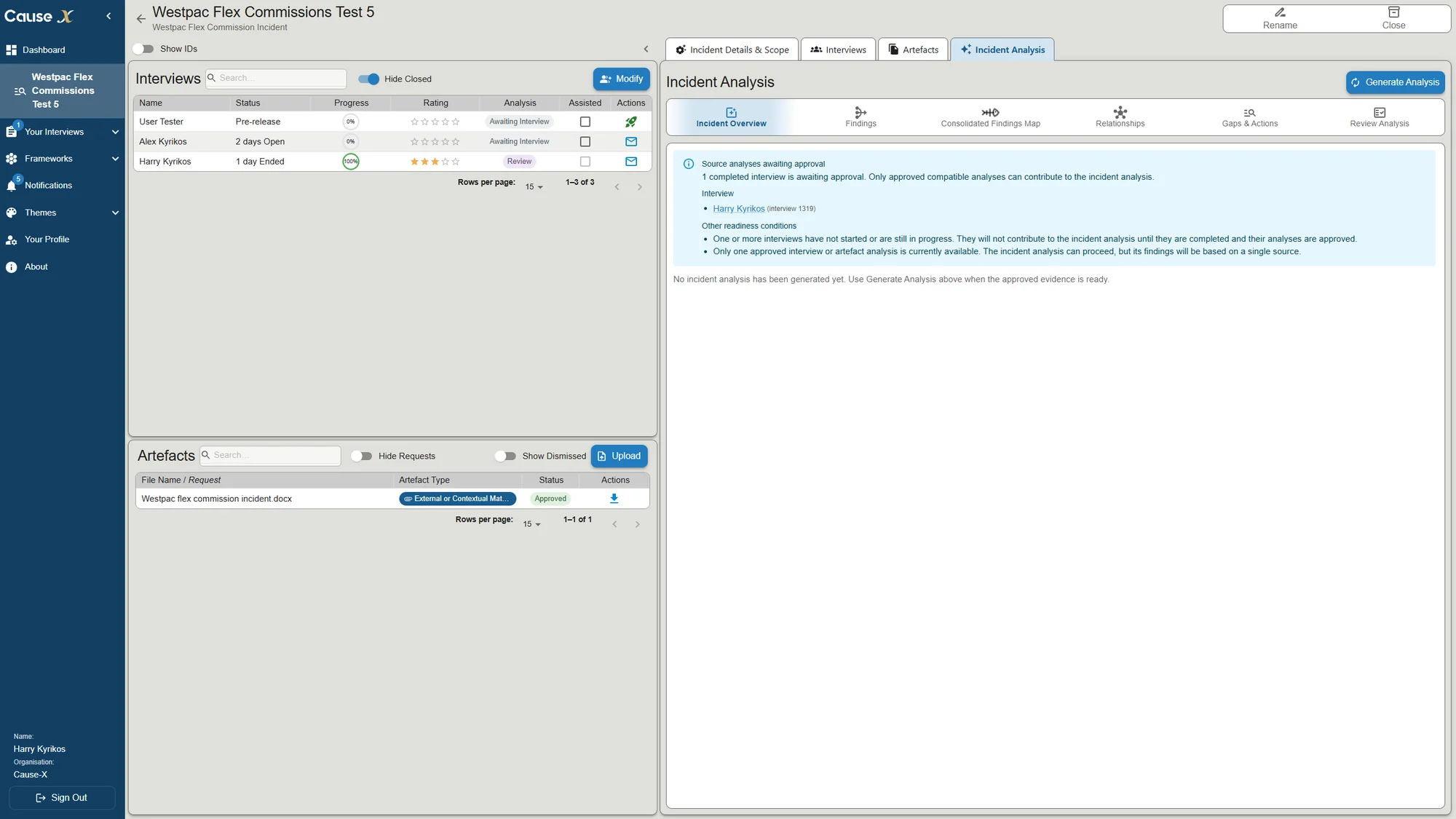
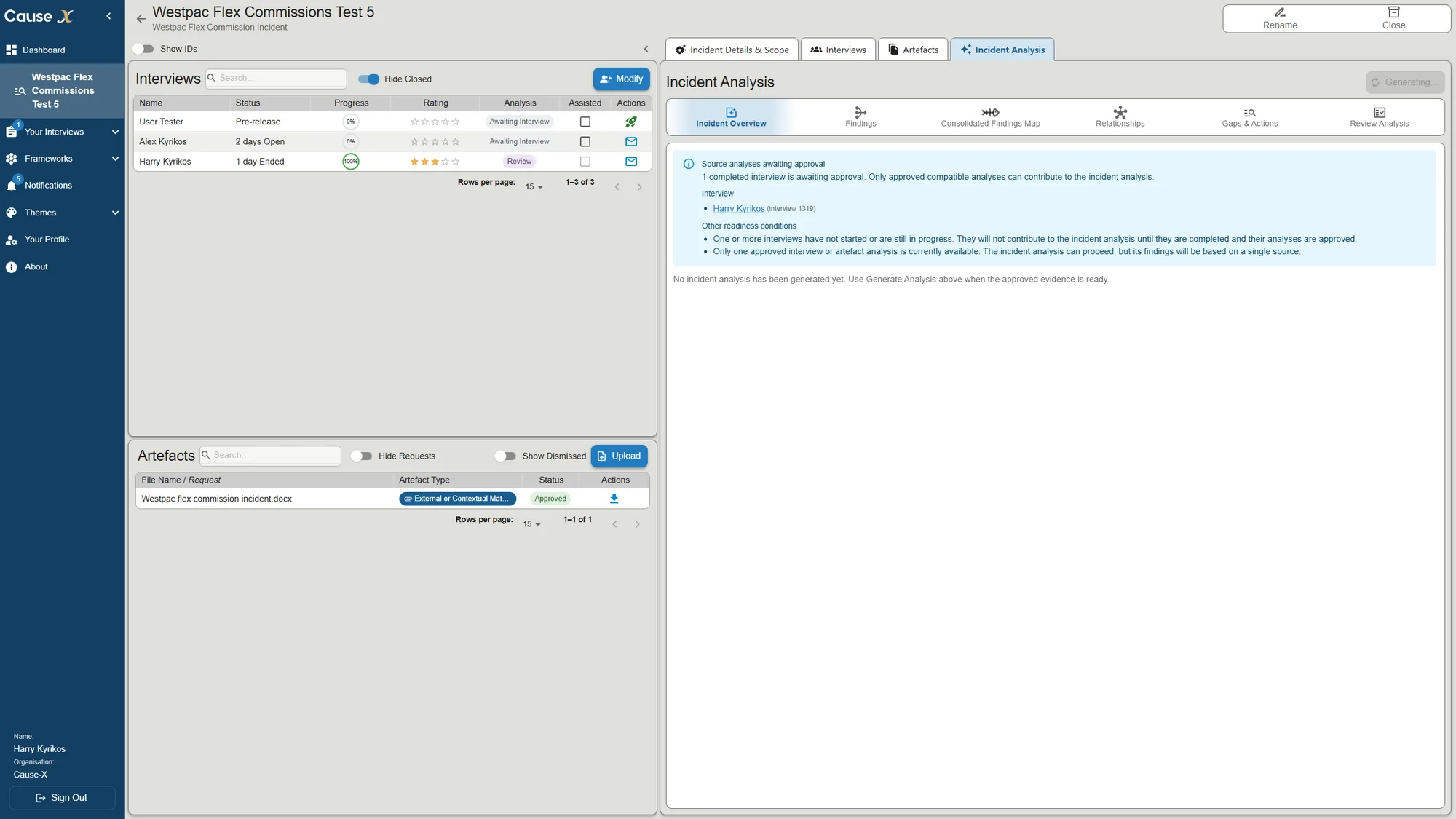
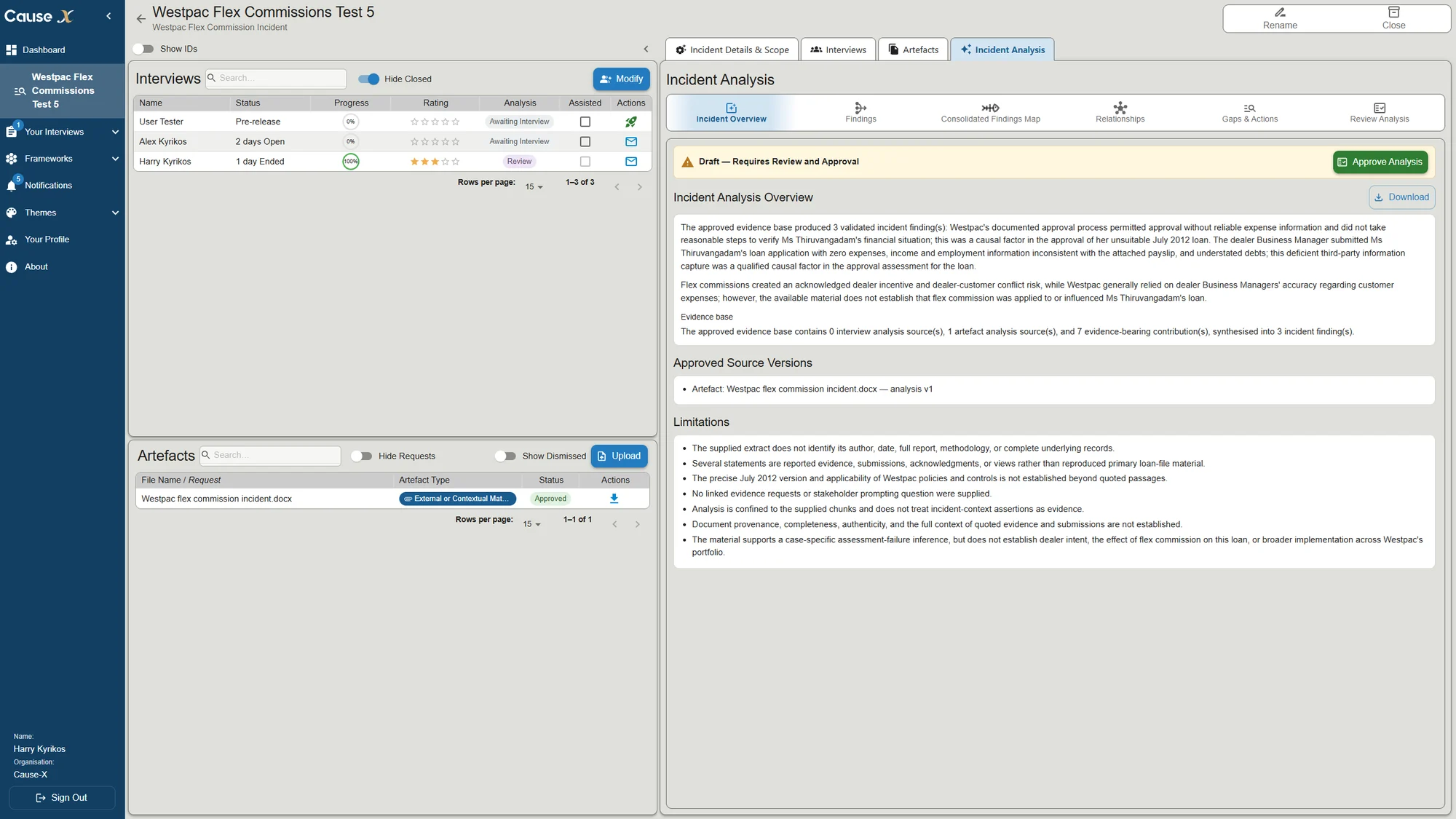
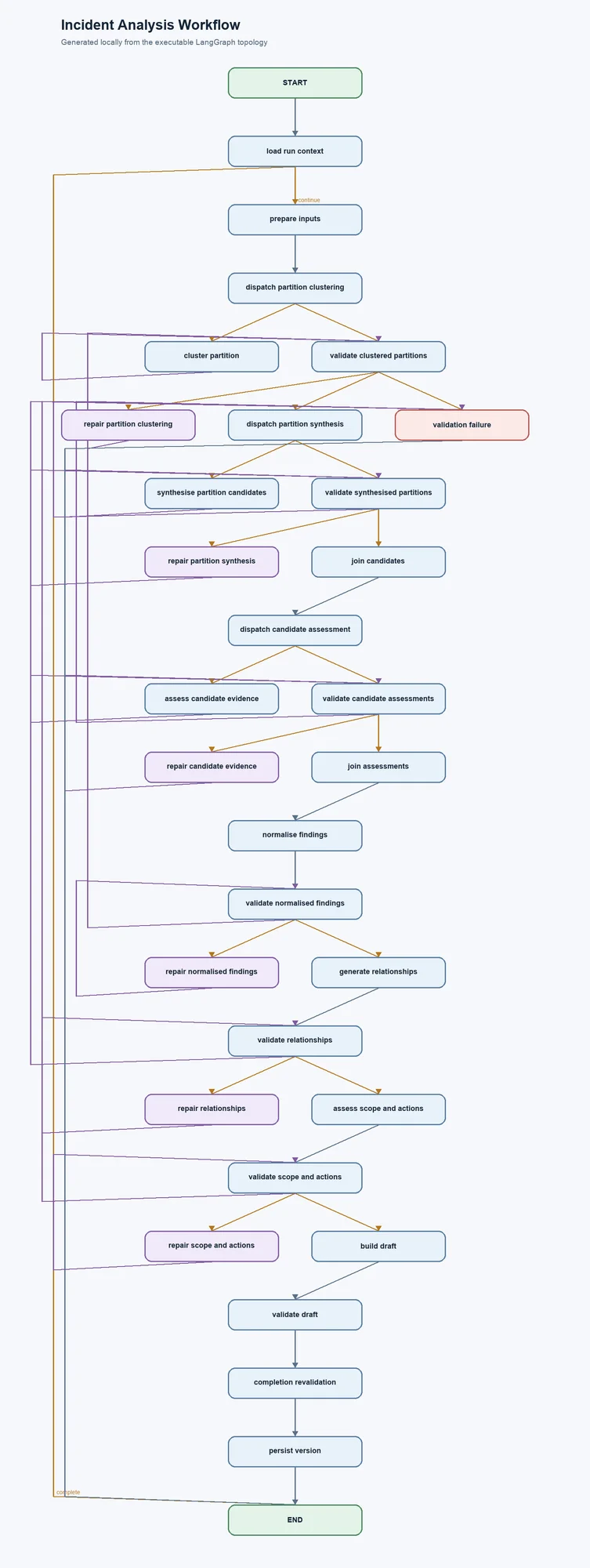
The incident-analysis workspace checks that its upstream sources are approved and ready. Generation uses an exact source set, with versions and provenance retained. A later source change can make the result stale, so regeneration and review remain explicit actions.
Step 11
Explore Findings And Their Evidence
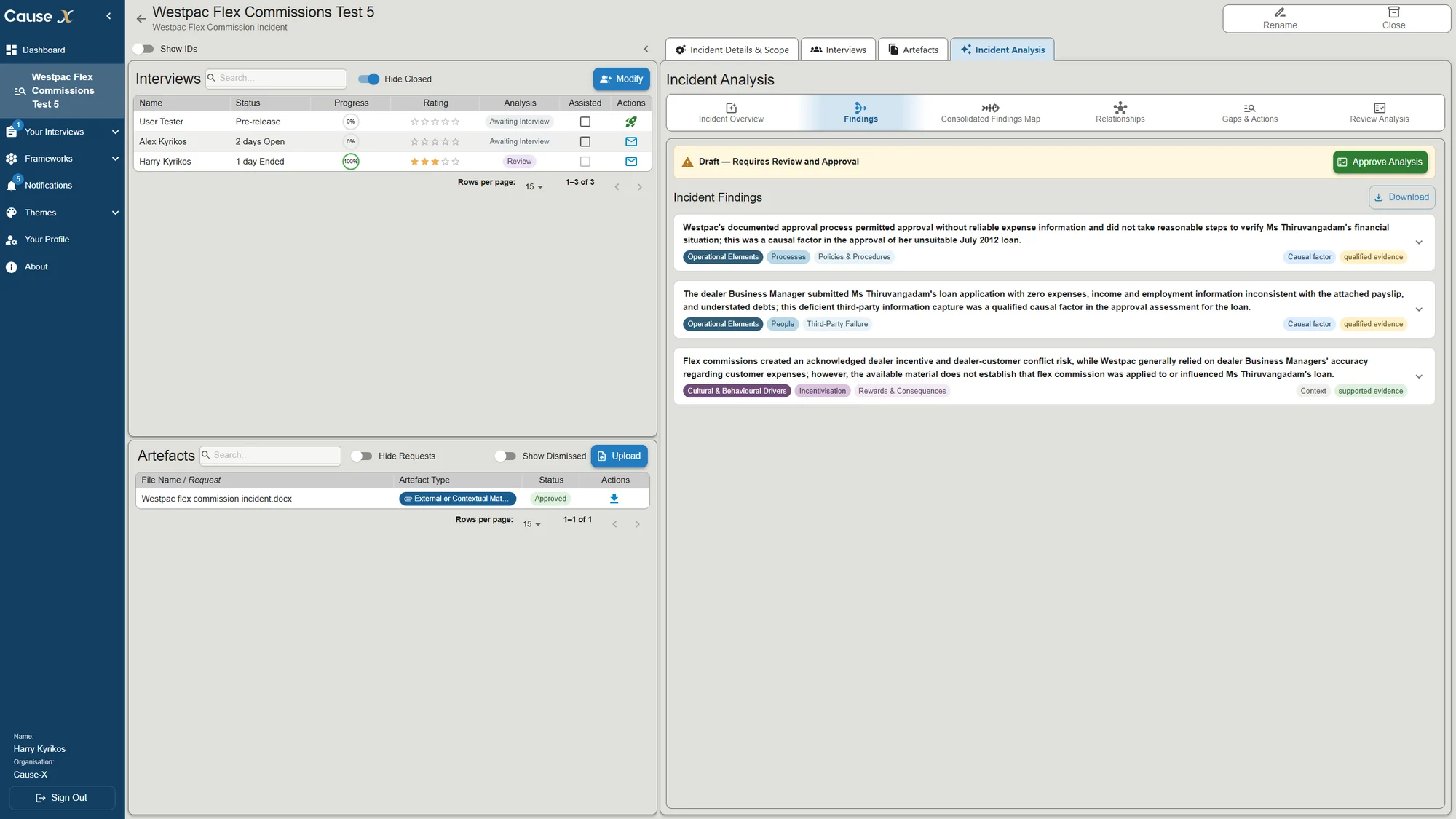
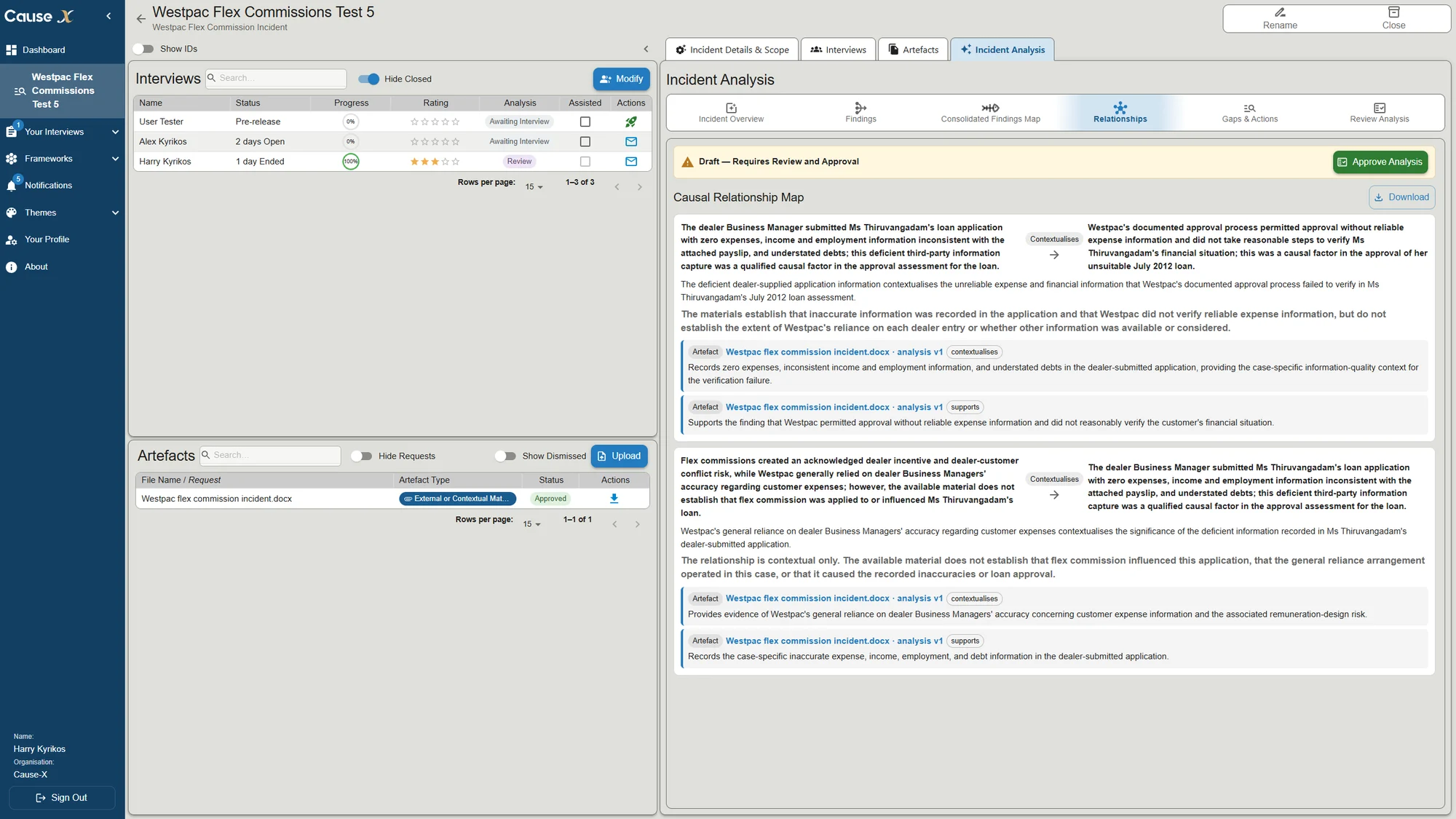
The completed workspace brings the incident overview and taxonomy-grouped findings together. Each finding retains contributions back to the approved interview or document evidence. Shared-origin checks prevent repeated excerpts from being treated as independent corroboration.
Step 12
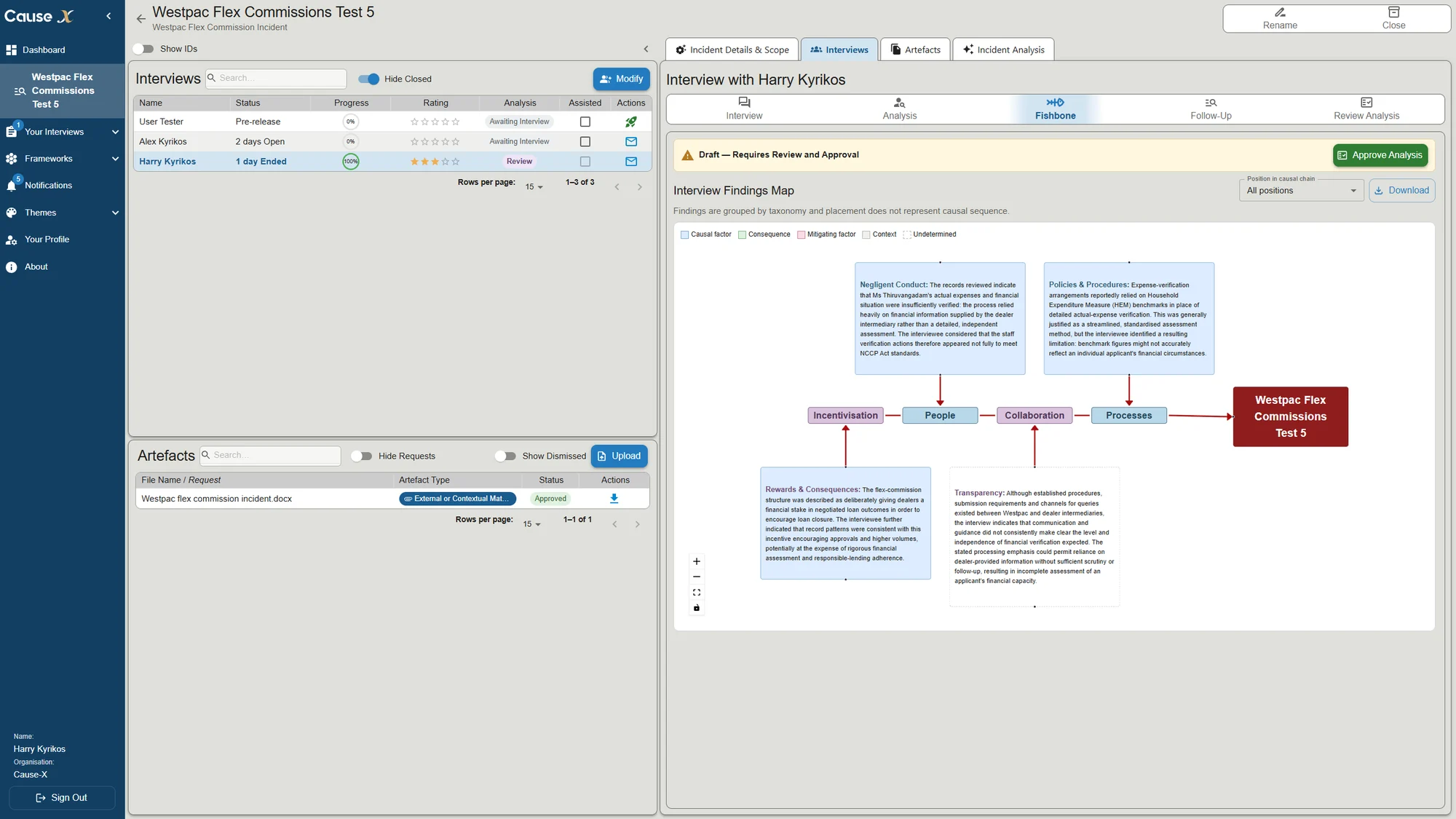
Review Relationships, Gaps And Actions
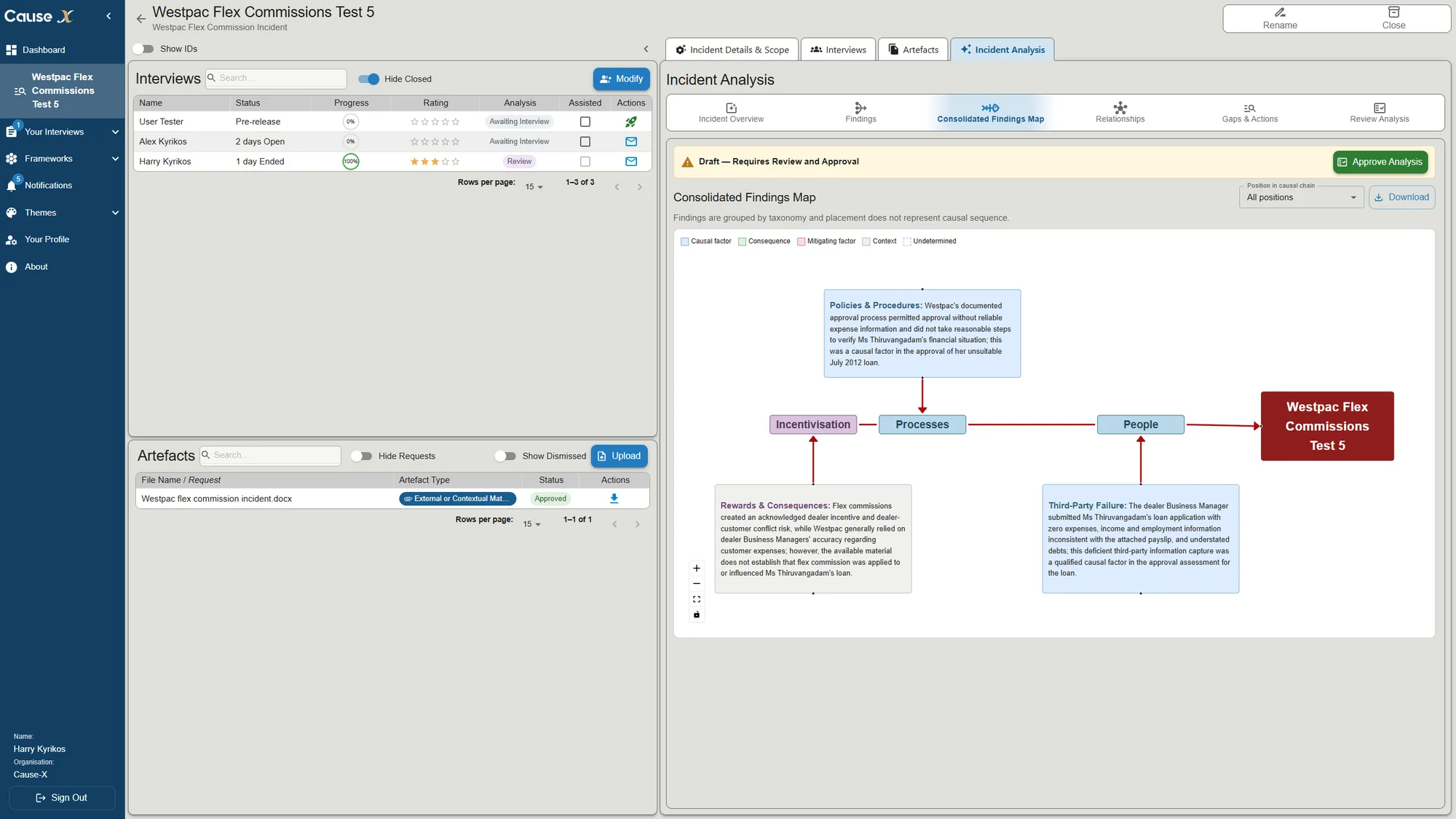
Relationship and fishbone views make the structure of the analysis easier to inspect. Scope gaps and proposed actions remain visible alongside the findings. Human editing and approval create reviewable versions rather than silently overwriting the generated result.
A Finding Needs An Evidence Trail.
Investigations draw on different accounts, documents and incomplete information. An AI-generated summary is useful only if a reviewer can understand where a claim came from, what supports it and what remains unresolved.
Columbo structures that process around approved scope, evidence-led interviews, source analysis and human review. Separate investigation profiles allow the same platform to support different kinds of inquiry.
Full-Stack Software With Explicit AI Boundaries.
As a software engineer at Cause X, my work spans the full-stack application and AI workflows: React interfaces, FastAPI services, PostgreSQL, LangGraph orchestration, retrieval-augmented generation and CI/CD.
The system keeps interview strategy and analytical authority in application logic. Models interpret responses and draft questions within structured contracts; the application manages scope, evidence gaps, transitions, provenance and approval.
- Persisted interview state tracks evidence, knowledge boundaries and unanswered questions.
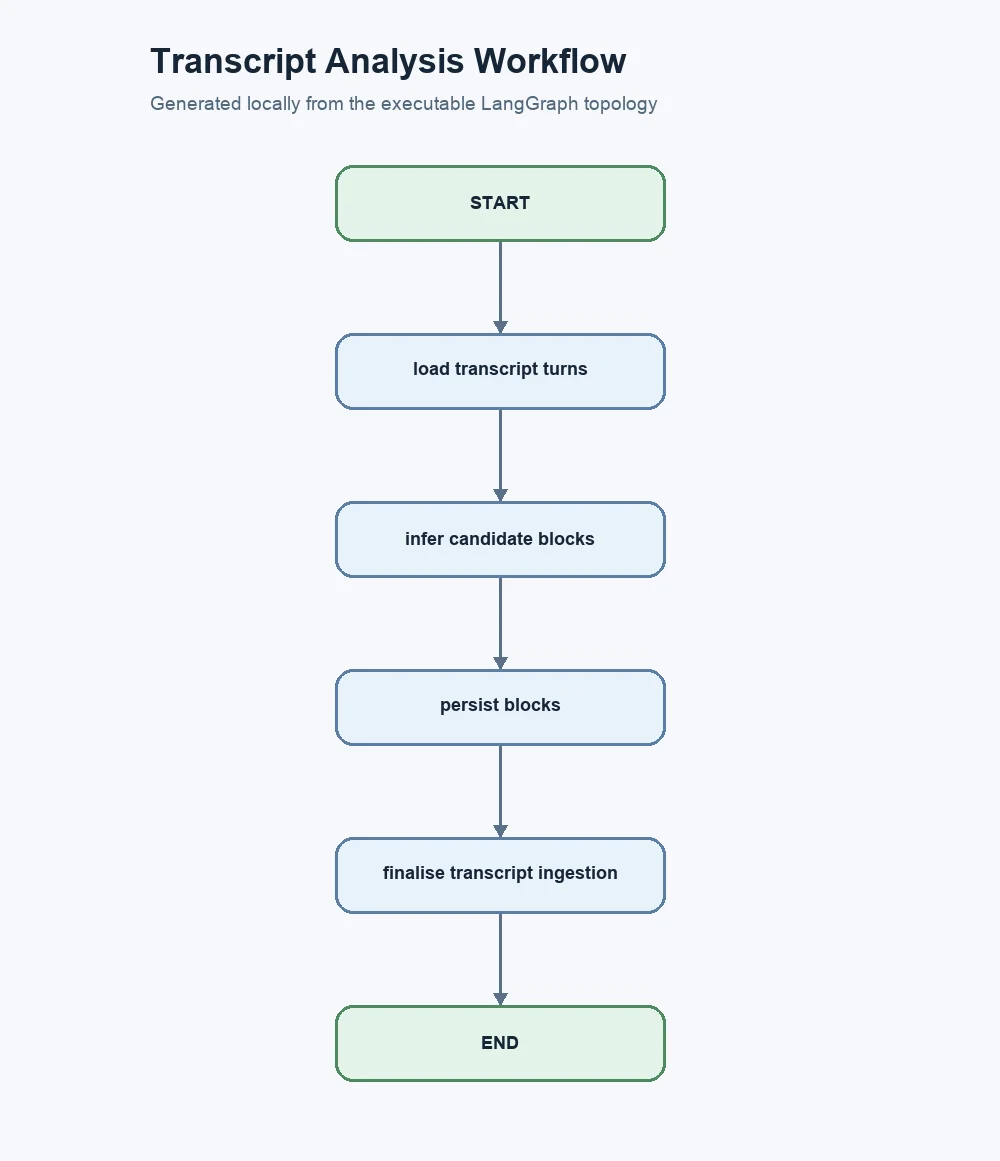
- Transcript ingestion preserves speaker attribution before analytical interpretation.
- Incident synthesis uses approved sources and produces immutable versions for review.
Build Trust Into The Workflow.
Repeated material must not appear to be independent corroboration. Source-origin checks and exact evidence links preserve the distinction between multiple excerpts and multiple independent accounts.
Frontend loading boundaries are also separate from authorization. Role-specific React bundles reduce unnecessary downloads, while the backend remains responsible for organization, role and record access.
The Engineering Journey
Follow The Evidence
The interview engine evolved from stage-based dialogue to persisted evidence and gap tracking, with constrained question planning and review.
Preserve Each Source
Transcript and document workflows retain attribution, source locations and limitations before handing evidence to profile-specific analysis.
Make Conclusions Reviewable
Approved sources feed cross-source synthesis. Versioned findings retain contribution links, qualifications and human approval decisions.
Refine Delivery
Role-aware loading separates the public login shell, authenticated application and larger feature routes. Bundle checks guard those boundaries.
What This Experience Achieved
The result
The project combines evidence-led interviews, documentary analysis and reviewable incident synthesis. A documented frontend iteration reduced the JavaScript required to render login by 62.17% in a local production-build measurement.
Technical decisions & tools
The live interview graph rebuilds its state from the relational database on each turn. Its persisted evidence ledger, scope-gap queue and source memory provide continuity beyond a single model response.
Investigation meaning belongs to registered profiles. Shared orchestration owns structured contracts, compatibility, provenance and review; approved source manifests and hashes protect incident analysis from stale or incompatible inputs.
The documented retrieval migration moves reads to PostgreSQL/pgvector while temporarily retaining dual writes to the previous vector store as a rollback path. Existing embeddings are reused across both stores.
The frontend verification record measures login JavaScript at 654,078 versus 247,426 gzip bytes. It records 247 passing frontend tests and a fresh-browser smoke check against a production build. This is local release evidence; authenticated role-session traces and production telemetry remained separate release checks.