University project
igive · UNSW COMP Assignment Automarking And Submission Engine
Connecting submission, automated tests, marking and feedback.
Experience In Practice
Skills Applied
Technical Skills
Soft Skills
How The System Fits Together
System Architecture
A Walk Through The Software
From Start To Finish
Follow an assignment from course setup and test creation to student submissions, automarking, tutor feedback and result release.
Step 01
Set Up Courses And Teaching Roles
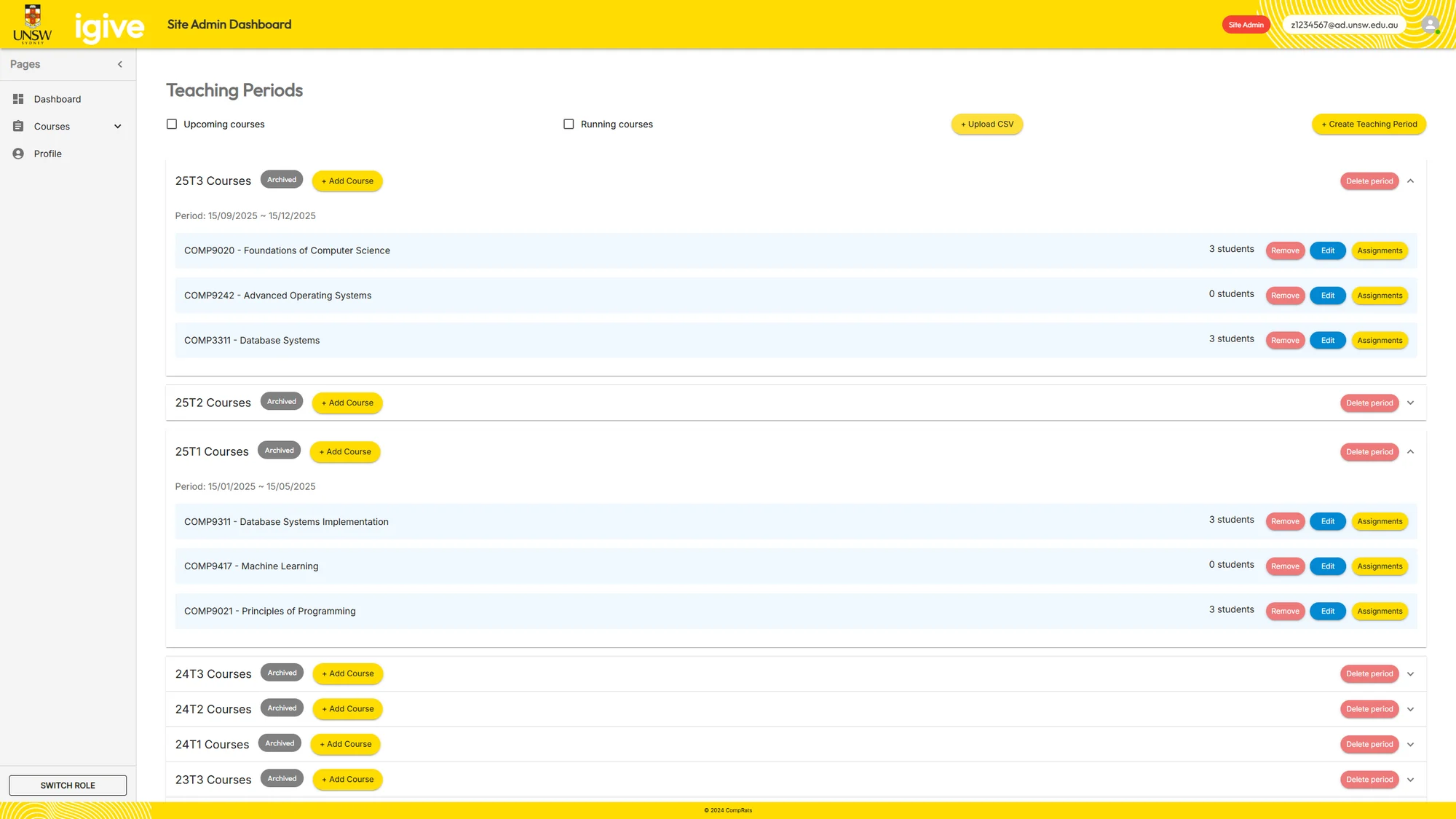
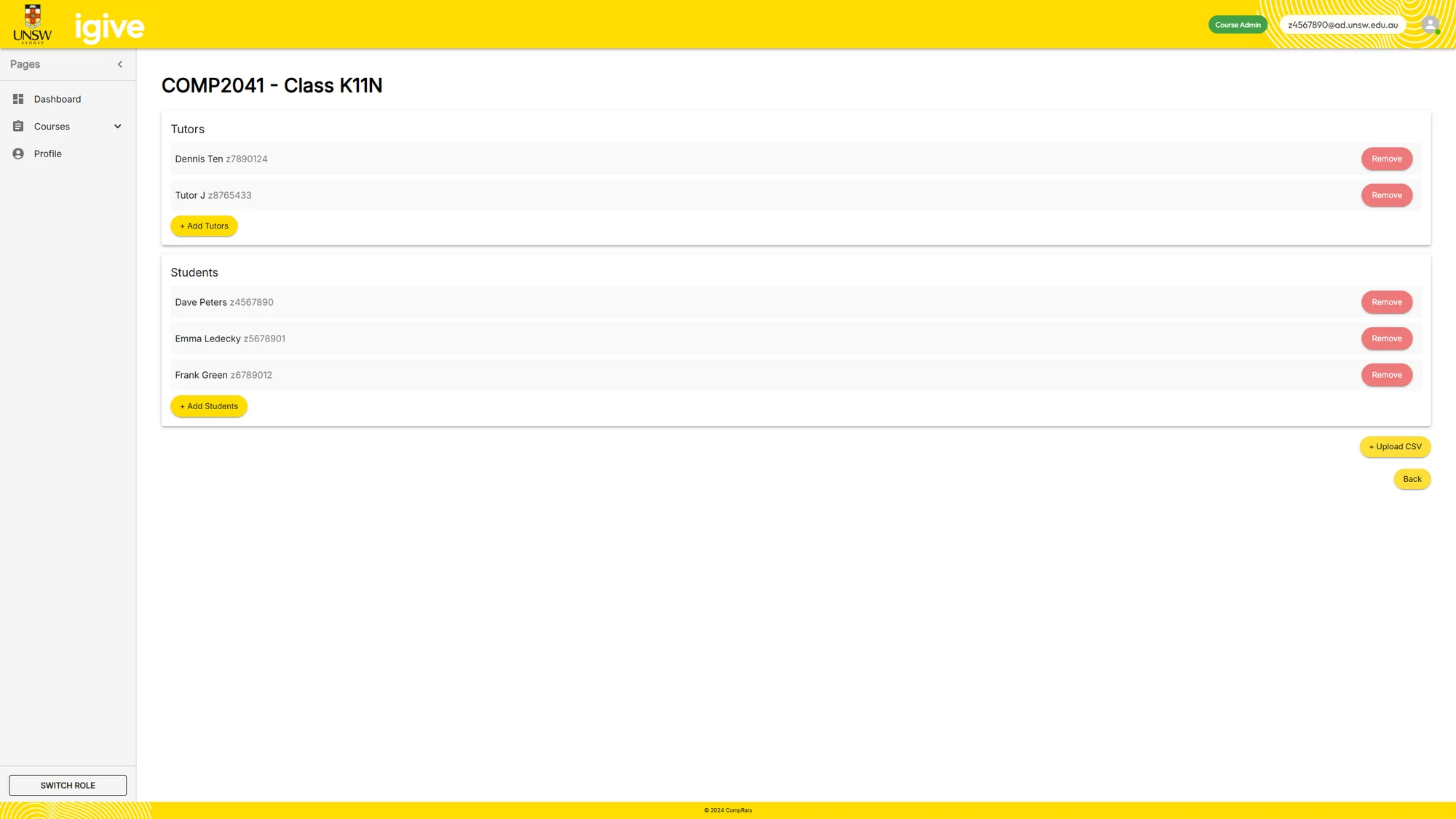
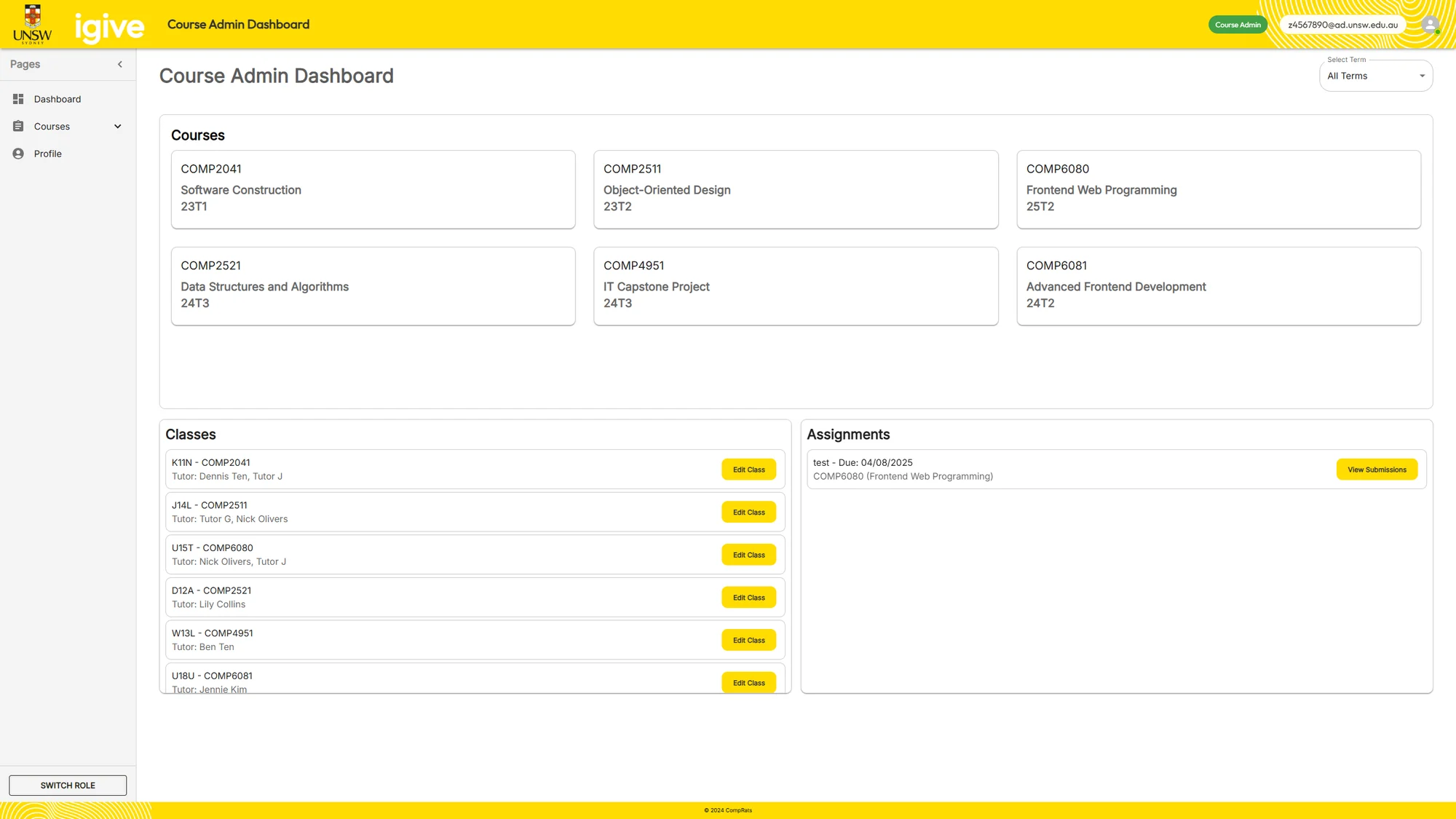
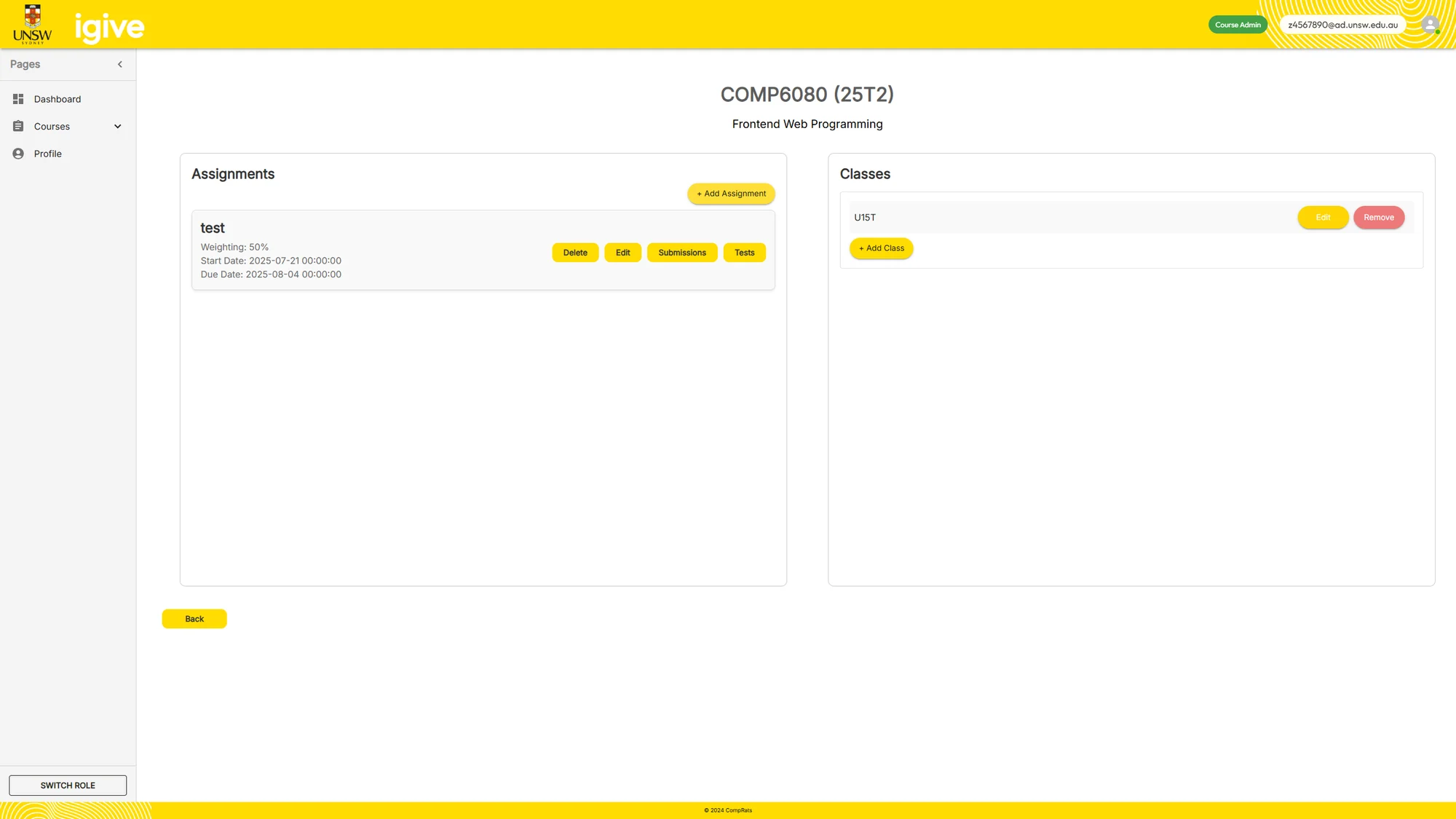
Site administrators manage teaching periods, courses and course administrators. Within a course, staff organise classes and tutor assignments. These role-specific views connect the course structure with the people who submit and mark work.
Step 02
Create The Assignment
Course administrators create assignments within the course workspace. Assignment setup and test creation are separate tasks, allowing staff to define the assessment before configuring how submitted programs will be checked.
Step 03
Define The Automarking Tests
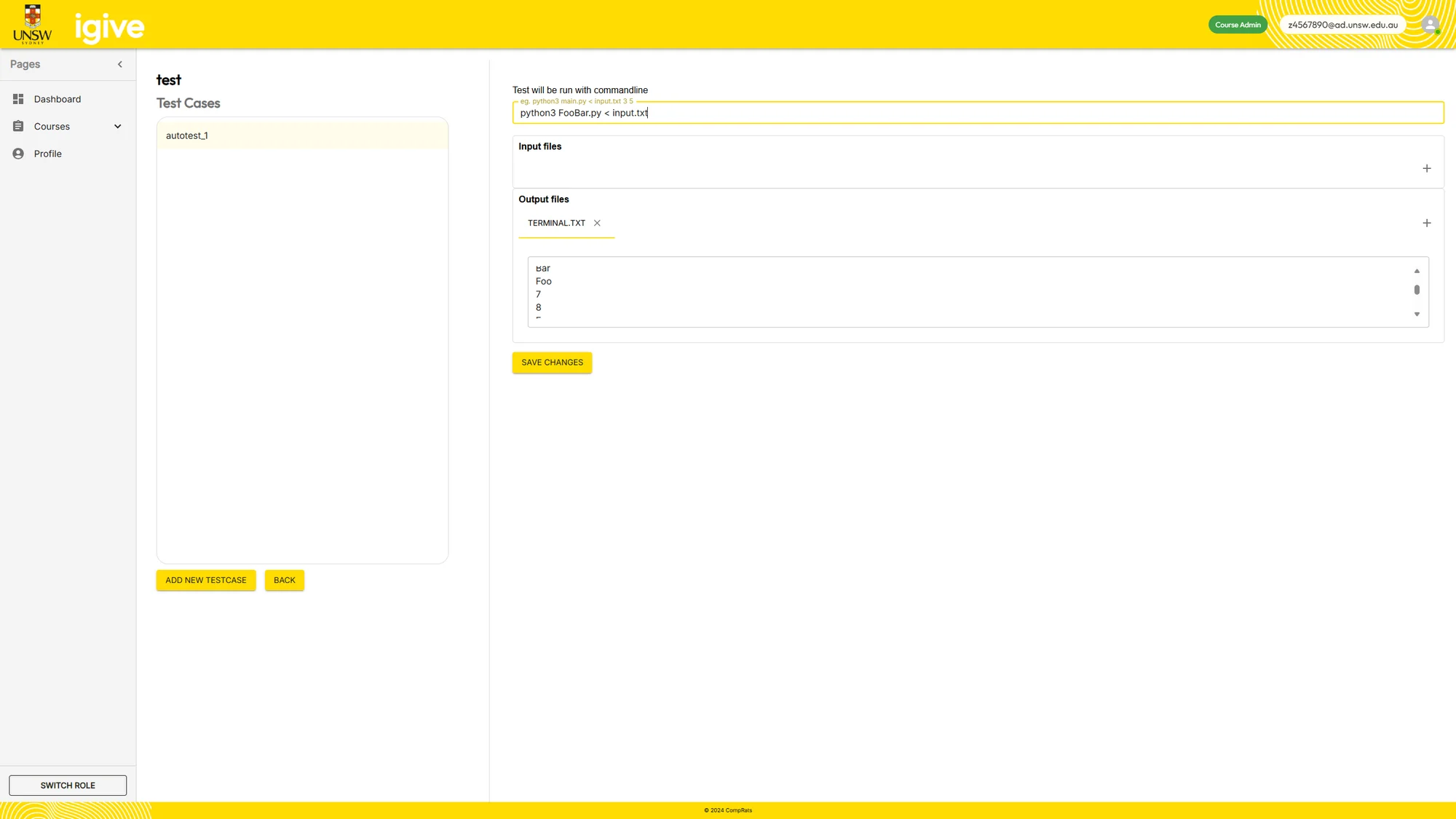
The test editor supports custom execution commands, optional input files and expected output comparisons. This evolved from a single input/output design to support command-line arguments, terminal output and multiple generated files.
Step 04
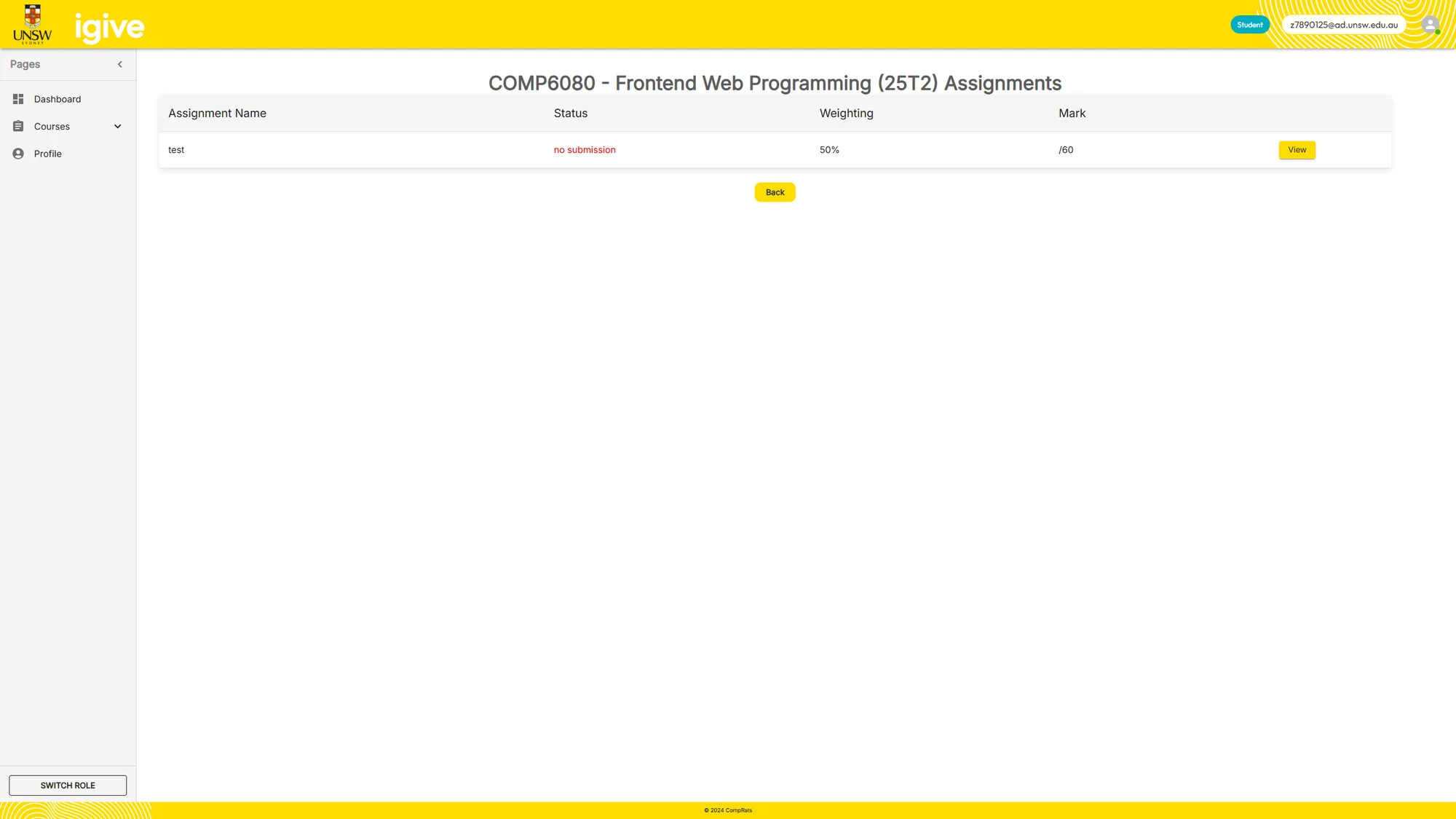
Submit Work Through The Student Dashboard
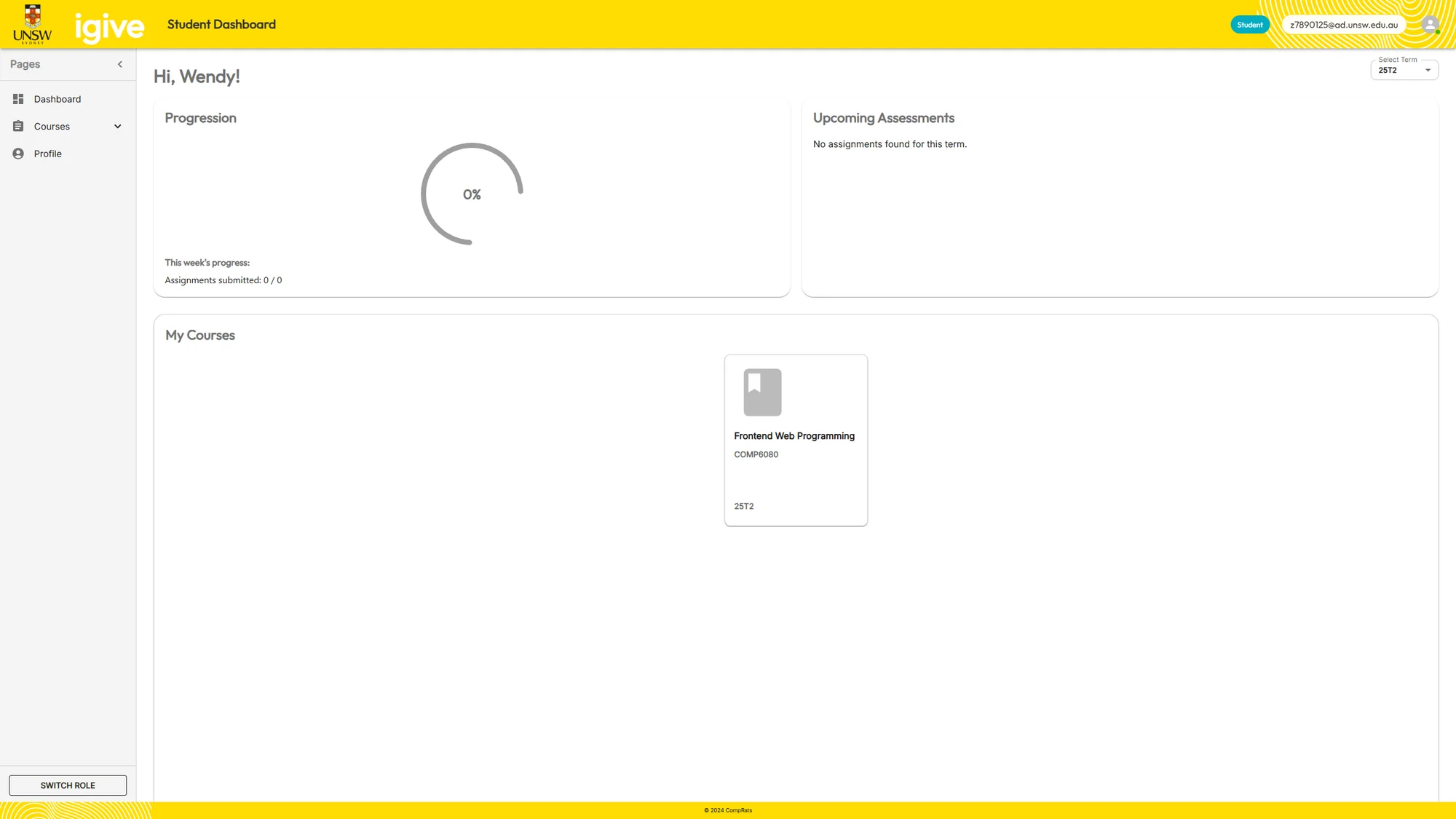
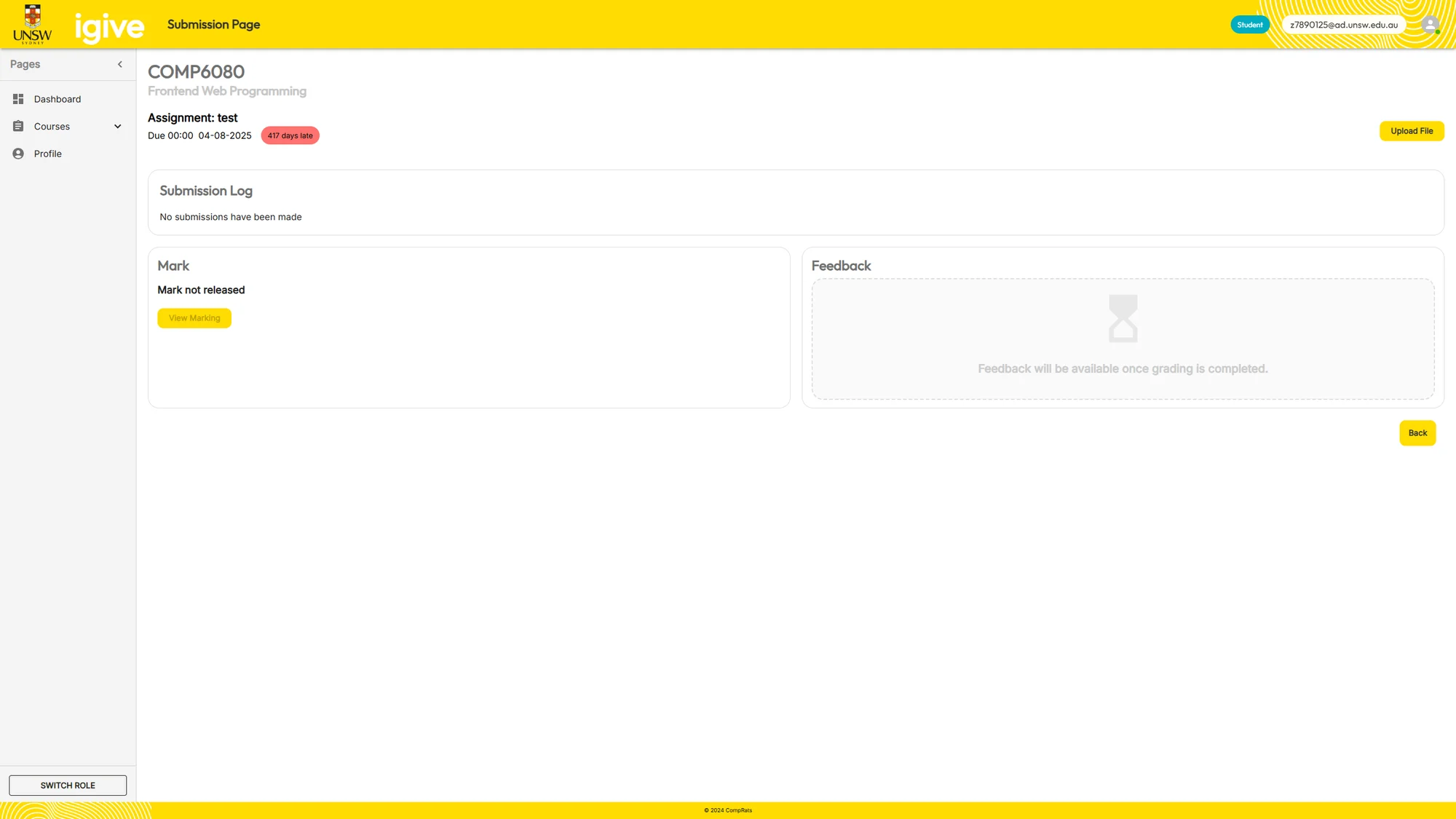
Students find their assignments from a role-specific dashboard and upload work through the submission page. The data model distinguishes an assignment from each student’s submission and its files, so marking and feedback remain attached to the correct work.
Step 05
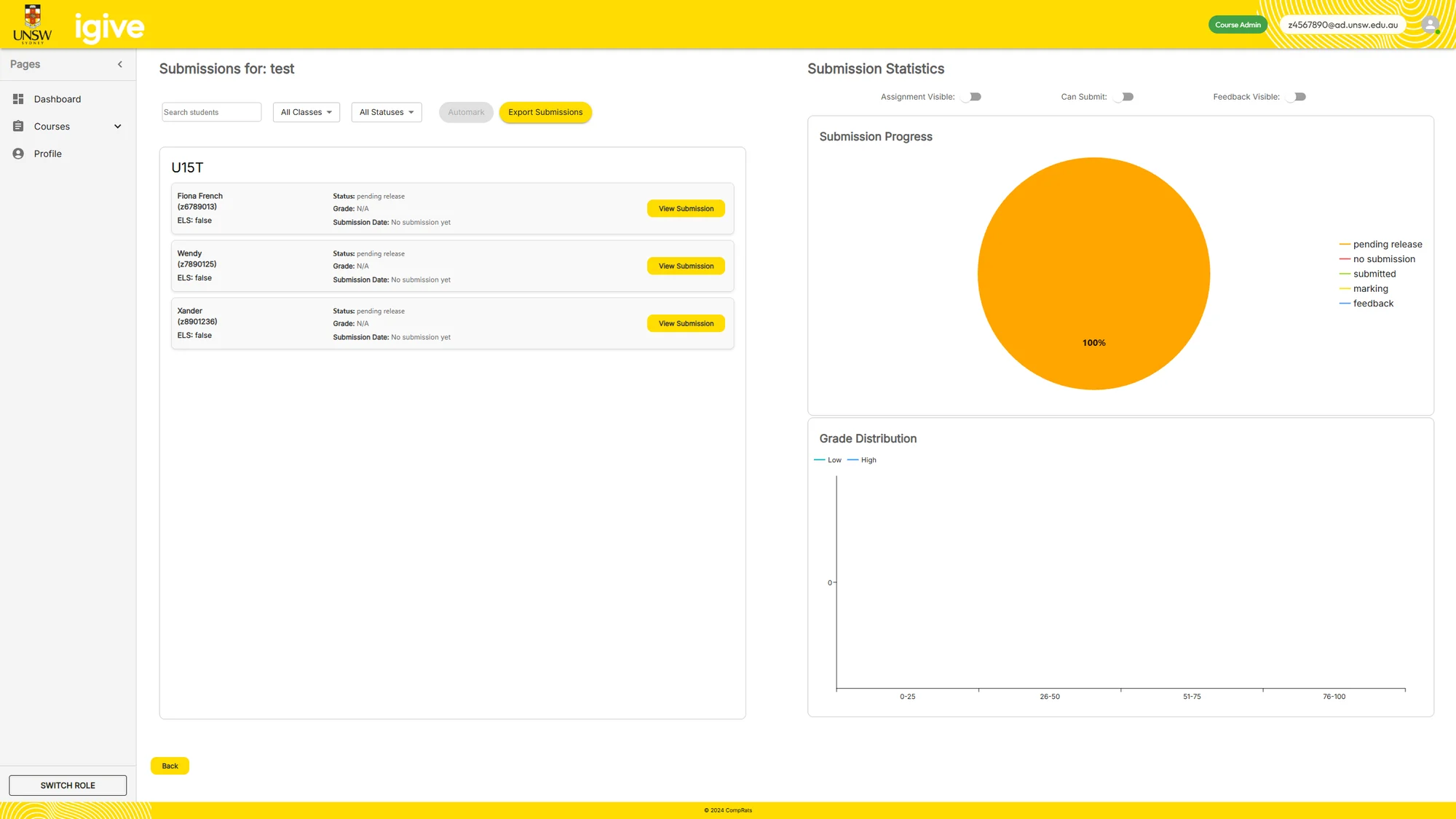
Run Tests And Review Submission Progress
A course administrator triggers automarking against the current test set. The backend creates separate Docker execution environments for submissions, records outputs and makes results available for staff review. The project remains a capstone prototype; the report identifies further execution hardening and performance work.
Step 06
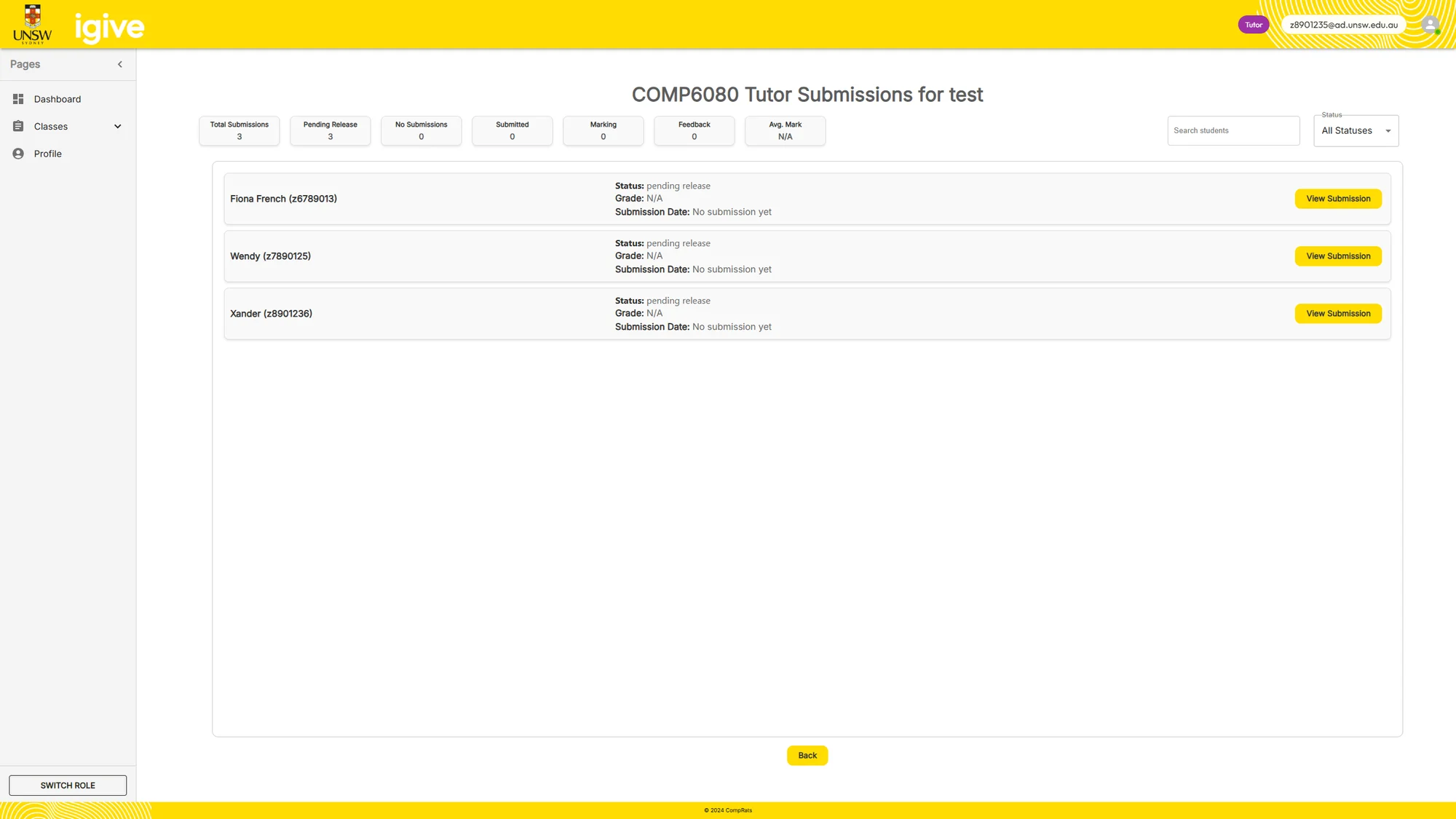
Mark And Provide Feedback
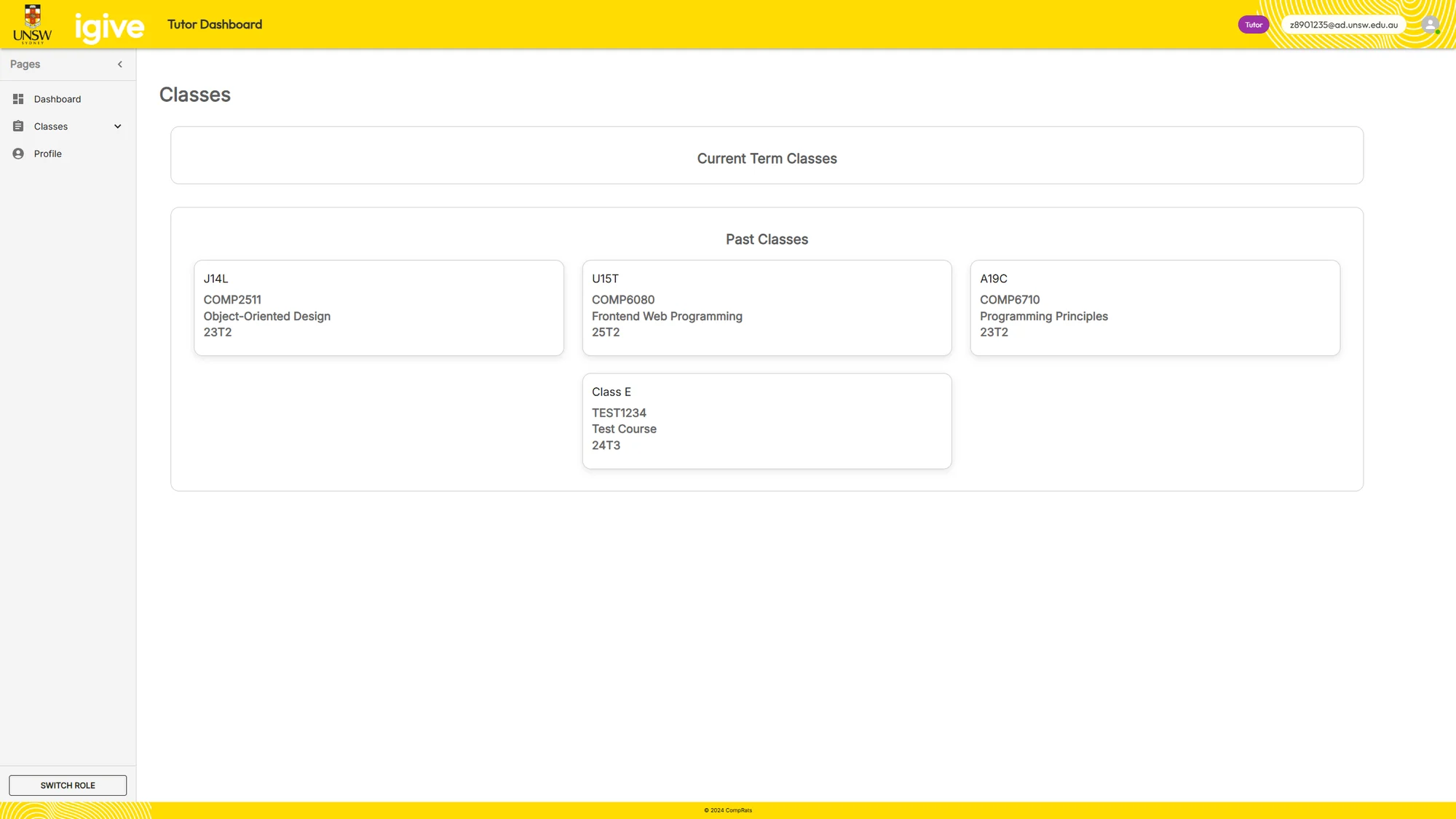
Tutors use their dashboard to reach the assignments they need to mark. The assignment view connects the submitted work with marking and feedback, while course administrators retain an overview of progress.
Step 07
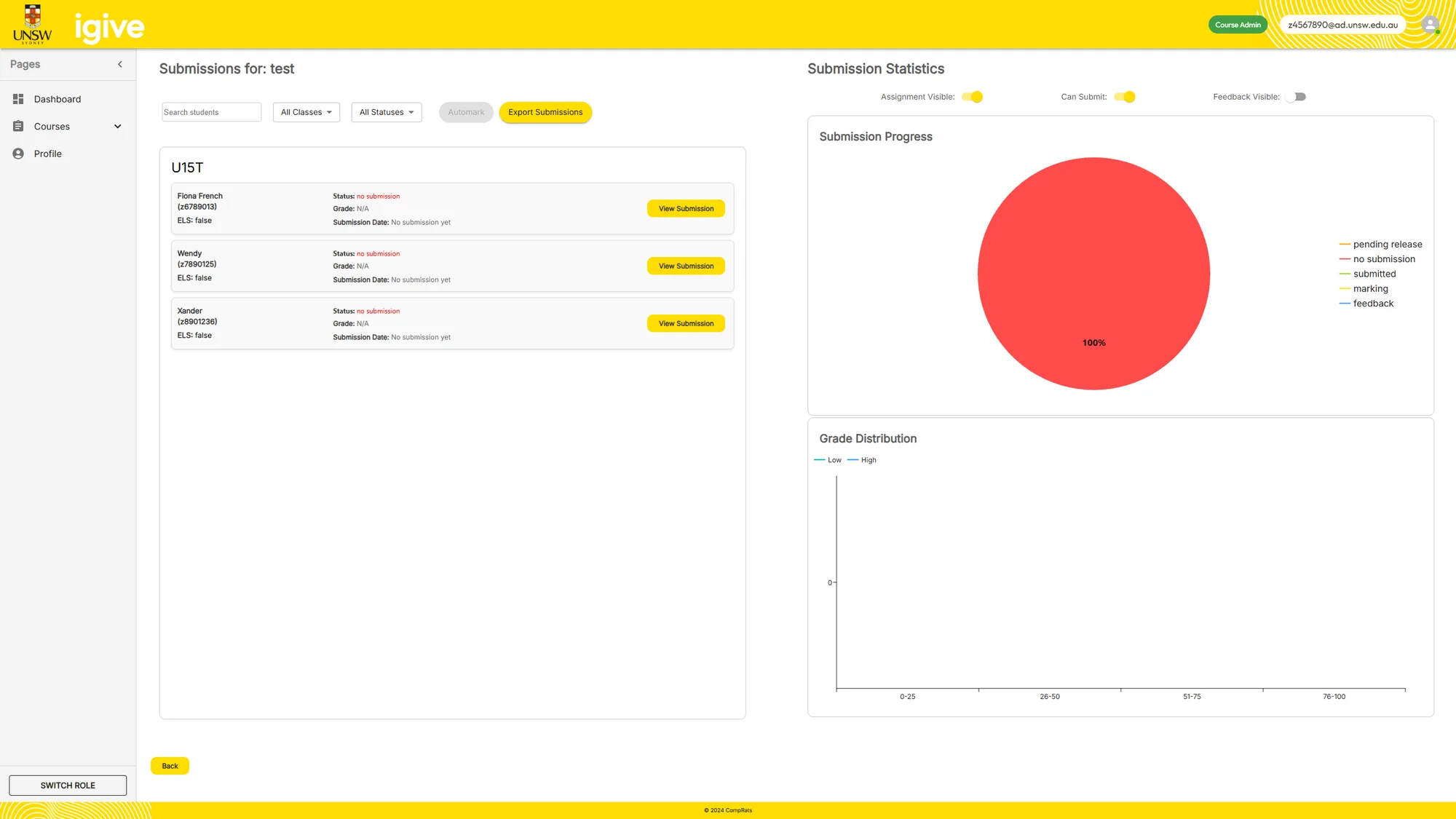
Inspect Course Statistics
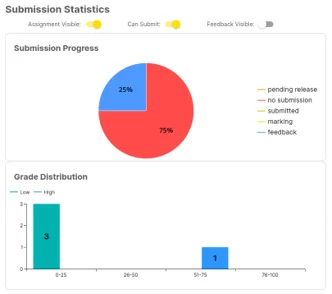
The statistics view gives course administrators an overview of submission activity and grade distribution. It complements individual marking views by showing the assessment across the course.
Step 08
Release The Results
Staff control when marks and feedback are released. The pending and released dashboard states distinguish internal marking work from the results made available to students.
One Assessment, Several Different Jobs
Students need a clear submission path. Tutors need to inspect work and provide feedback. Course administrators need to configure tests, oversee marks and control release. Site administrators manage courses and users.
I led design and delivery of the capstone system and managed sprints and user stories through Jira. The application itself was developed as a team; the architecture and features here describe that shared result.
Let Workflow Expose The Missing Data Model
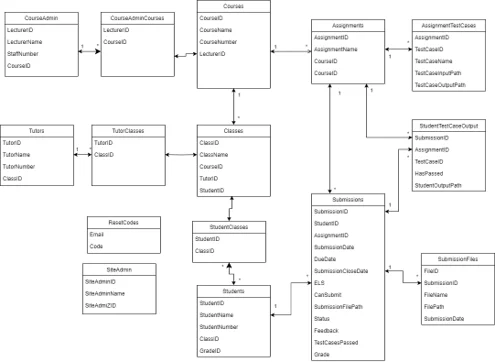
Early designs did not sufficiently distinguish an assignment from each student's submission. As the interface and client requirements developed, the team added submission, submission-file and test-case records, plus the relationships needed for teaching classes.
This was a consequential design change: marking, file access, test output and release status all depend on identifying the correct submission rather than attaching everything directly to an assignment.
Make Automated Tests Understandable And Repeatable
The first test-case interface assumed a single input and output. The revised design added configurable commands and optional files, supporting both terminal output and generated-file comparisons.
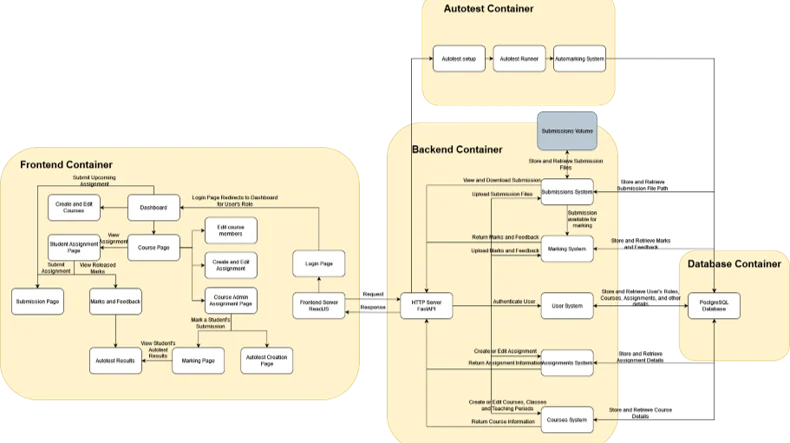
Automarking moved into the backend. A course administrator could run submissions against the same current test set, with a separate Docker container for each submission to separate execution environments.
A Complete Prototype, With A Clear Next Step
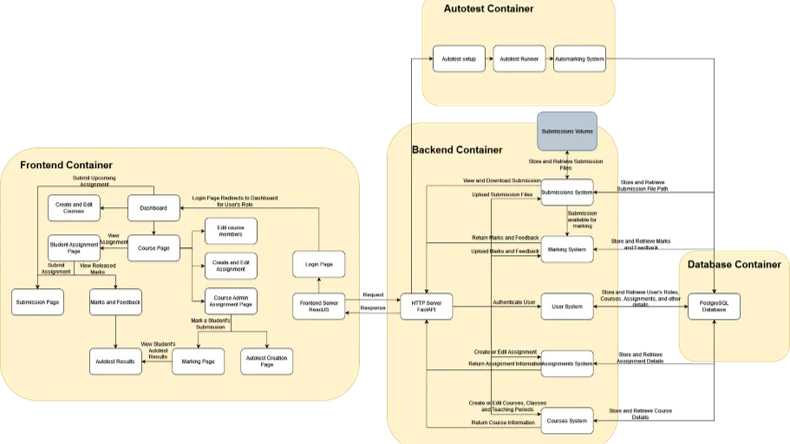
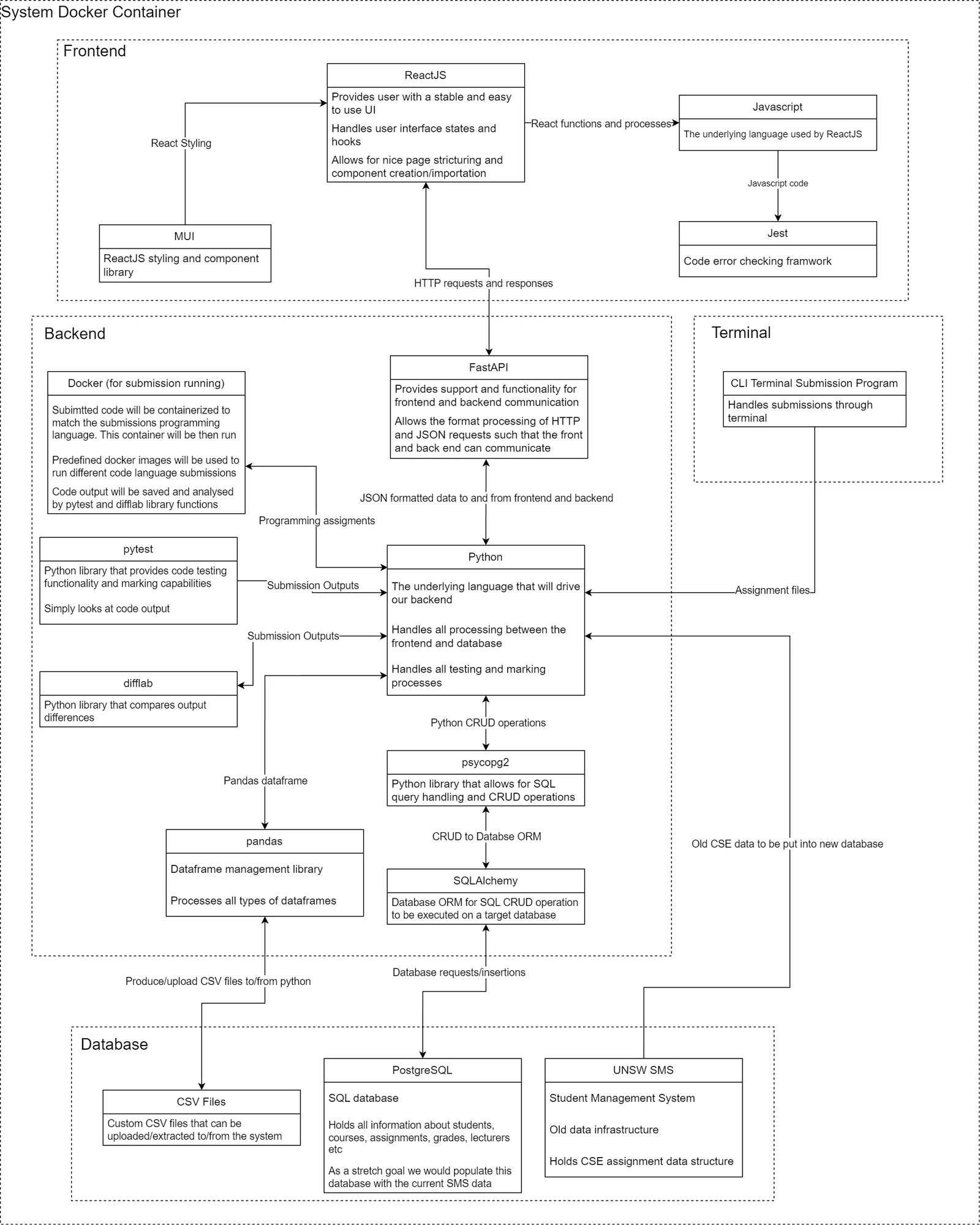
The result connected course administration, student uploads, test execution, tutor marking, statistics and feedback release through role-specific pages. React handled the interface, FastAPI exposed the application logic and PostgreSQL stored the relationships.
The report also recorded the next engineering priorities: stronger authentication and input handling, more robust assessment rules, and faster test execution. The system was a capstone prototype, with further hardening needed before institutional deployment.
The Engineering Journey
Define
Translate four user roles and client requests into stories and workflows.
Refine
Revise the data model and test editor as realistic assignments exposed gaps.
Deliver
Integrate submission, containerised tests, marking and controlled feedback release.
What This Experience Achieved
The result
A working team prototype covering four user roles and the submission-to-feedback cycle, delivered through client-facing sprints.
Technical decisions & tools
React, Axios and MUI formed the frontend; Python/FastAPI handled backend services; PostgreSQL represented users, teaching periods, classes, assignments, submissions and test cases.
The project report describes Cypress UI tests and container-based development. Known prototype security and performance limitations are kept in scope when describing the outcome.